More browsing paths
Play Touch Comic Adventure - Garaku Tale (Japan edition · Japanese) Online
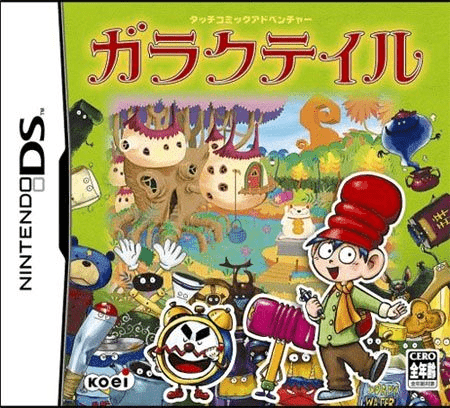
Touch Comic Adventure - Garaku Tale
Play Touch Comic Adventure - Garaku Tale online. Explore a strange country where discarded objects become your travelling companions.
Browser play
Nintendo DS (NDS) — EmulatorJS controls
Default Player 1 keyboard mapping. Change keys in Controller Settings.
| Console button | Keyboard |
|---|---|
| ↑ / ↓ / ← / → | ↑ / ↓ / ← / → |
| A / B / X / Y | Z / X / A / S |
| L / R | Q / E |
| START / SELECT | Enter / V |
| Microphone | Not assigned |
Open Controller Settings to configure your keyboard or gamepad. Touch controls are available on mobile.
How to Play Touch Comic Adventure - Garaku Tale
Quick start
Begin the story, inspect a suspicious object in the lower scene and read its action-point cost before confirming.
Controls
Touch places to investigate, then confirm the displayed action. In encounters choose a companion for attack, defence or recovery; use the combination selections to try inventions.
Touch Comic Adventure - Garaku Tale — About this game
Explore a strange country where discarded objects become your travelling companions. Garaku Tale presents its story like comic panels, but the scene below is an area to investigate: touch a suspicious object and read what kind of action it offers and how many points it costs before confirming. Finding companions matters because they have different roles in encounters, including attack, defence and recovery. Select a useful companion for the situation instead of spending every turn on offence. Two pieces of junk can also combine into an invention, and a companion may help you discover another. Start by following the opening story and carefully inspecting the first scene, gathering options before hurrying into the next encounter.
Touch Comic Adventure - Garaku Tale Game manuals
Cheats
No cheats have been added for this edition.
Player verification and sources
Browser play was reviewed before this edition was published in the catalogue. The date below is the catalogue publication date, not the game’s original release date.
- Browser test and catalogue publication date
- Browsers and devices
- PC: Chrome, Edge and Firefox. Mobile: Chrome on Android and Safari on iPhone and iPad.
- Player engine and core
- EmulatorJS 4.3.0-pre · nds
- Tested by
- rwEmulator
Sources and editorial basis
rwEmulator reviews edition metadata, release information, game manuals and first-hand browser-play notes. Available manuals are linked below; the editorial policy explains how facts are checked and corrections are handled.