More browsing paths
Play Touch Mechanic (US edition · English / French / Spanish) Online
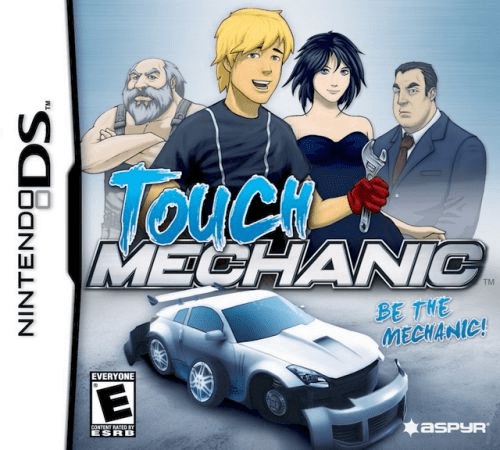
Touch Mechanic
Play Touch Mechanic online. Repair customers’ cars with stylus tools and spend your earnings on a custom ride. Explore the Nintendo DS gameplay and controls.
Browser play
Nintendo DS (NDS) — EmulatorJS controls
Default Player 1 keyboard mapping. Change keys in Controller Settings.
| Console button | Keyboard |
|---|---|
| ↑ / ↓ / ← / → | ↑ / ↓ / ← / → |
| A / B / X / Y | Z / X / A / S |
| L / R | Q / E |
| START / SELECT | Enter / V |
| Microphone | Not assigned |
Open Controller Settings to configure your keyboard or gamepad. Touch controls are available on mobile.
How to Play Touch Mechanic
Quick start
Follow Captain Bob’s guidance through the early repair jobs. Read the requested step before choosing a tool. When removing a wheel, work through its fasteners as instructed; for bodywork, follow the sanding and cutting guides before fitting the replacement. Watch the tool meter instead of rushing every gesture.
Controls
Tap the tool icons and work directly on the car with the stylus. Use the prompted turning motions for fasteners, rub to sand and follow dotted cutting lines with the saw. Drag replacement parts into place when requested. Keep the action within the tool’s meter to avoid damaging it.
Touch Mechanic — About this game
Begin in a modest garage under Captain Bob’s guidance and learn the steps behind virtual repair jobs. Choose tools, remove parts, sand surfaces, saw along guides and fit replacements using touch gestures. Time, mistakes and tool wear make careful movement as important as speed. Money from workshop jobs goes towards a personal car, with body parts, wheels and paint providing another reason to return to repairs. As the career develops, you take on more demanding work and need to remember the procedures with less help.
Touch Mechanic Game manuals
Cheats
No cheats have been added for this edition.
Player verification and sources
Browser play was reviewed before this edition was published in the catalogue. The date below is the catalogue publication date, not the game’s original release date.
- Browser test and catalogue publication date
- Browsers and devices
- PC: Chrome, Edge and Firefox. Mobile: Chrome on Android and Safari on iPhone and iPad.
- Player engine and core
- EmulatorJS 4.3.0-pre · nds
- Tested by
- rwEmulator
Sources and editorial basis
rwEmulator reviews edition metadata, release information, game manuals and first-hand browser-play notes. Available manuals are linked below; the editorial policy explains how facts are checked and corrections are handled.