More browsing paths
Play TouchMaster 3 (US edition · English / French) Online
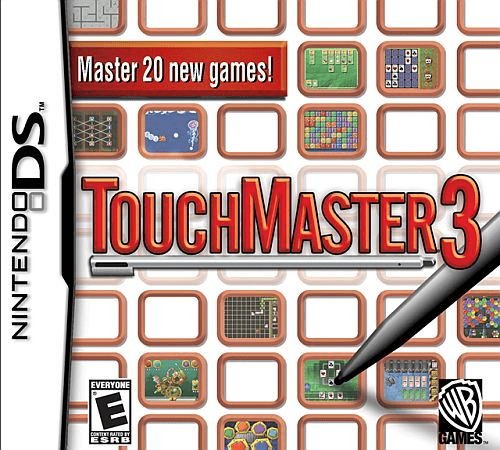
TouchMaster 3
Play TouchMaster 3 online on Nintendo DS. Repeat Recall's drum patterns, move Bumper Ball's bumper and guide Electro Maze. Learn the touch controls.
Browser play
Nintendo DS (NDS) — EmulatorJS controls
Default Player 1 keyboard mapping. Change keys in Controller Settings.
| Console button | Keyboard |
|---|---|
| ↑ / ↓ / ← / → | ↑ / ↓ / ← / → |
| A / B / X / Y | Z / X / A / S |
| L / R | Q / E |
| START / SELECT | Enter / V |
| Microphone | Not assigned |
Open Controller Settings to configure your keyboard or gamepad. Touch controls are available on mobile.
How to Play TouchMaster 3
Quick start
Choose Recall, read its instructions and watch and listen to the demonstrated pattern. Tap the drums in the same order and rhythm. Then try Bumper Ball to practise sliding its circular bumper into the ball's path. Check the instructions again when changing games, since a maze, a card game and a rhythm test have different goals.
Controls
Use the stylus to select a game and its on-screen options. Recall uses taps on the drums to repeat the demonstrated sequence and rhythm. In Bumper Ball, drag the circular bumper around the lower playing area to return the ball. In Electro Maze, carefully drag the ball along the passages to collect dots. Read the selected game's instructions for its scoring and end conditions.
TouchMaster 3 — About this game
TouchMaster 3 offers 20 games across card, strategy, puzzle, word and action categories. Its touch challenges ask for quite different movements. Bumper Ball uses a circular bumper that you slide around to return the ball, while Electro Maze has you guide a ball through narrow passages and collect the dots. Recall changes the task to listening and watching, then tapping drums to reproduce a pattern and its rhythm. Other games test card combinations, words or shot planning, so choosing a new activity changes the problem rather than simply speeding up the last one. Instructions, scoreboards, trophies and badges give each game a structure for practising and improving.
TouchMaster 3 Game manuals
Cheats
No cheats have been added for this edition.
Player verification and sources
Browser play was reviewed before this edition was published in the catalogue. The date below is the catalogue publication date, not the game’s original release date.
- Browser test and catalogue publication date
- Browsers and devices
- PC: Chrome, Edge and Firefox. Mobile: Chrome on Android and Safari on iPhone and iPad.
- Player engine and core
- EmulatorJS 4.3.0-pre · nds
- Tested by
- rwEmulator
Sources and editorial basis
rwEmulator reviews edition metadata, release information, game manuals and first-hand browser-play notes. Available manuals are linked below; the editorial policy explains how facts are checked and corrections are handled.