More browsing paths
Play TouchMaster: Connect (NDSi Enhanced · US edition · English / French / Spanish) Online
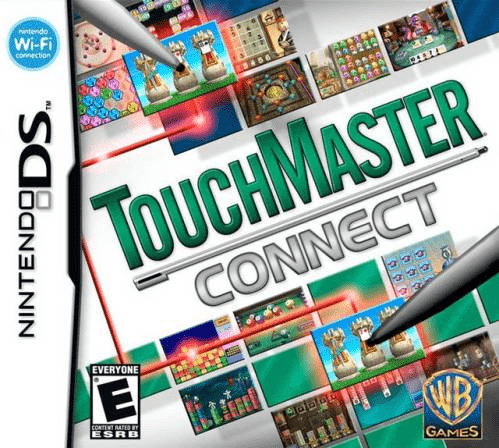
TouchMaster - Connect
Play TouchMaster: Connect online on Nintendo DS. Bounce Tricky Fish, match Quik Match tiles and earn badges. Learn the stylus gestures and game rules.
Browser play
Nintendo DS (NDS) — EmulatorJS controls
Default Player 1 keyboard mapping. Change keys in Controller Settings.
| Console button | Keyboard |
|---|---|
| ↑ / ↓ / ← / → | ↑ / ↓ / ← / → |
| A / B / X / Y | Z / X / A / S |
| L / R | Q / E |
| START / SELECT | Enter / V |
| Microphone | Not assigned |
Open Controller Settings to configure your keyboard or gamepad. Touch controls are available on mobile.
How to Play TouchMaster: Connect
Quick start
Choose Tricky Fish from the game selection and read its rules. Swipe upward with the stylus to keep the fish bouncing, then adjust the timing as it falls. Use the help button whenever you need the rules again. Next try Quik Match and practise finding matching numbered tiles; every game is available without first clearing another.
Controls
Tap on-screen game choices and options with the stylus. In Tricky Fish, swipe upward to bounce the fish and keep it in play. Quik Match uses the touch screen to choose numbered tiles for its matching puzzle. Open the selected game's help button to review its rules and goals. Other activities have their own touch gestures and scoring conditions.
TouchMaster: Connect — About this game
TouchMaster: Connect collects 20 games in puzzle, strategy, action and card categories, with the full selection available from the start. Tricky Fish asks you to keep a fish in the air with upward stylus swipes; Quik Match uses numbered tiles for a Mahjong-style matching challenge. Coco Loco offers match-three play, while Feeding Frosty grows a snowman by collecting snowballs or snowmen no larger than itself and avoiding bigger ones. Many games put the score chase under a time limit. Each has rules and accessible help, so you can learn one activity before moving on to another. Achievement badges reward particular strategies and results, giving familiar formats another reason to replay.
TouchMaster: Connect Game manuals
Cheats
No cheats have been added for this edition.
Player verification and sources
Browser play was reviewed before this edition was published in the catalogue. The date below is the catalogue publication date, not the game’s original release date.
- Browser test and catalogue publication date
- Browsers and devices
- PC: Chrome, Edge and Firefox. Mobile: Chrome on Android and Safari on iPhone and iPad.
- Player engine and core
- EmulatorJS 4.3.0-pre · nds
- Tested by
- rwEmulator
Sources and editorial basis
rwEmulator reviews edition metadata, release information, game manuals and first-hand browser-play notes. Available manuals are linked below; the editorial policy explains how facts are checked and corrections are handled.