More browsing paths
Play TouchMaster (US edition · Revision 1 · English) Online
TouchMaster
Play TouchMaster online on Nintendo DS. Try Target 21, 3 Peak Deluxe and Mah Jongg Pairs. Learn how to choose a game and use its touch controls.
Browser play
Nintendo DS (NDS) — EmulatorJS controls
Default Player 1 keyboard mapping. Change keys in Controller Settings.
| Console button | Keyboard |
|---|---|
| ↑ / ↓ / ← / → | ↑ / ↓ / ← / → |
| A / B / X / Y | Z / X / A / S |
| L / R | Q / E |
| START / SELECT | Enter / V |
| Microphone | Not assigned |
Open Controller Settings to configure your keyboard or gamepad. Touch controls are available on mobile.
How to Play TouchMaster
Quick start
Choose a category, select Target 21 and use the single-player option. Tap one of the five columns to place the displayed card, checking the total before the next placement. Try to bring each column to 21. For a different start, choose Mah Jongg Pairs and remove two matching exposed tiles at a time.
Controls
Use the stylus to select categories, games and on-screen options. In Target 21, tap a column to place the incoming card. In 3 Peak Deluxe, tap a playable exposed card one rank higher or lower than the current card; tap the draw pile when no useful move remains. In Mah Jongg Pairs, tap two matching exposed tiles.
TouchMaster — About this game
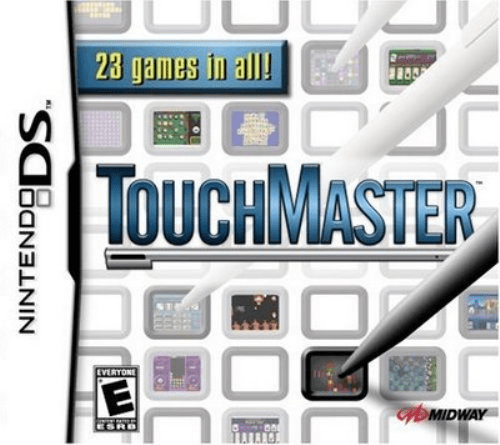
TouchMaster brings a collection of 23 short games to the DS, organised into card, skill and puzzle categories. Each choice asks for a different kind of judgement. Target 21 has you distribute incoming cards across five columns to approach a total of 21 in each, while 3 Peak Deluxe clears exposed cards that are one rank above or below the current card. Mah Jongg Pairs shifts the challenge to finding matching exposed tiles in a layered layout. The stylus selects both menus and game pieces, so the important change between games is the rule rather than a new set of buttons. Scores and time bonuses encourage replaying a favourite game after learning which moves leave better options.
TouchMaster Game manuals
Cheats
No cheats have been added for this edition.
Player verification and sources
Browser play was reviewed before this edition was published in the catalogue. The date below is the catalogue publication date, not the game’s original release date.
- Browser test and catalogue publication date
- Browsers and devices
- PC: Chrome, Edge and Firefox. Mobile: Chrome on Android and Safari on iPhone and iPad.
- Player engine and core
- EmulatorJS 4.3.0-pre · nds
- Tested by
- rwEmulator
Sources and editorial basis
rwEmulator reviews edition metadata, release information, game manuals and first-hand browser-play notes. Available manuals are linked below; the editorial policy explains how facts are checked and corrections are handled.