More browsing paths
Play Tower DS, The (Japan edition · Japanese) Online
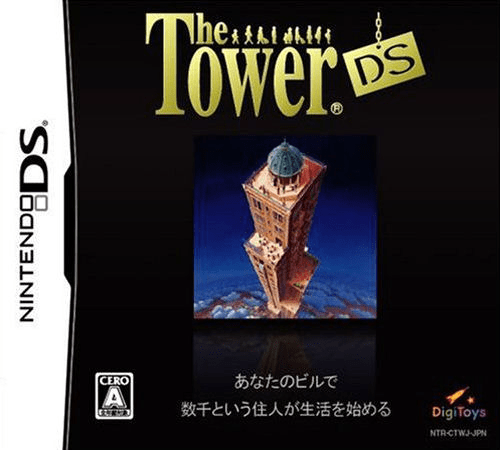
Tower DS, The
Play Tower DS, The online. Build a tower whose residents want to stay.
Browser play
Nintendo DS (NDS) — EmulatorJS controls
Default Player 1 keyboard mapping. Change keys in Controller Settings.
| Console button | Keyboard |
|---|---|
| ↑ / ↓ / ← / → | ↑ / ↓ / ← / → |
| A / B / X / Y | Z / X / A / S |
| L / R | Q / E |
| START / SELECT | Enter / V |
| Microphone | Not assigned |
Open Controller Settings to configure your keyboard or gamepad. Touch controls are available on mobile.
How to Play Tower DS, The
Quick start
Read the president’s opening instructions, select the first site and build its ground-floor lobby before expanding.
Controls
Use the Control Pad and stylus for site selection. Drag the stylus, or use Control Pad plus A, to extend the lobby; SELECT opens the president’s advice room.
Tower DS, The — About this game
Build a tower whose residents want to stay. Your tenants’ journeys, needs and payments drive this DS management simulation: rent, hotel stays and meals finance further expansion. Start with the president’s explanation and the first site, then spread a lobby across the ground floor before adding facilities. More rooms are useful only when people can reach them and remain satisfied. Watch the building’s information and adjust transport and services before spending the next income. SELECT opens the president’s room when you need to review his advice.
Tower DS, The Game manuals
Cheats
No cheats have been added for this edition.
Player verification and sources
Browser play was reviewed before this edition was published in the catalogue. The date below is the catalogue publication date, not the game’s original release date.
- Browser test and catalogue publication date
- Browsers and devices
- PC: Chrome, Edge and Firefox. Mobile: Chrome on Android and Safari on iPhone and iPad.
- Player engine and core
- EmulatorJS 4.3.0-pre · nds
- Tested by
- rwEmulator
Sources and editorial basis
rwEmulator reviews edition metadata, release information, game manuals and first-hand browser-play notes. Available manuals are linked below; the editorial policy explains how facts are checked and corrections are handled.