More browsing paths
Play Towers II - Plight of the Stargazer (Proto 1 · US edition) Online
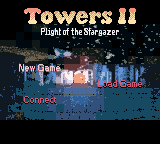
Towers II - Plight of the Stargazer
Play Towers II - Plight of the Stargazer online on GBC. Explore Lord Daggan's tower in a first-person, real-time role-playing adventure.
Browser play
Game Boy Color (GBC) — EmulatorJS controls
Default Player 1 keyboard mapping. Change keys in Controller Settings.
| Console button | Keyboard |
|---|---|
| ↑ / ↓ / ← / → | ↑ / ↓ / ← / → |
| A / B | Z / X |
| START / SELECT | Enter / V |
Open Controller Settings to configure your keyboard or gamepad. Touch controls are available on mobile.
How to Play Towers II - Plight of the Stargazer
Quick start
Choose a character, read the prototype’s controls and practise moving and examining an object before approaching an enemy.
Controls
Use the directional pad for movement or selection. Follow this build’s interface for attacks, spells and object handling, checking the current mode before confirming.
Towers II - Plight of the Stargazer — About this game
Explore the available content in this preserved prototype. Choose a character after reading the attributes, then learn the difference between movement and cursor control. Use a safe stretch to inspect items and practise switching modes. Remember which mode is active before attacking or picking something up; the same button has different uses.
Cheats
No cheats have been added for this edition.
Player verification and sources
Browser play was reviewed before this edition was published in the catalogue. The date below is the catalogue publication date, not the game’s original release date.
- Browser test and catalogue publication date
- Browsers and devices
- PC: Chrome, Edge and Firefox. Mobile: Chrome on Android and Safari on iPhone and iPad.
- Player engine and core
- EmulatorJS 4.3.0-pre · gb
- Tested by
- rwEmulator
Sources and editorial basis
rwEmulator reviews edition metadata, release information, game manuals and first-hand browser-play notes. Available manuals are linked below; the editorial policy explains how facts are checked and corrections are handled.