More browsing paths
Play Trace Memory (US edition · English) Online
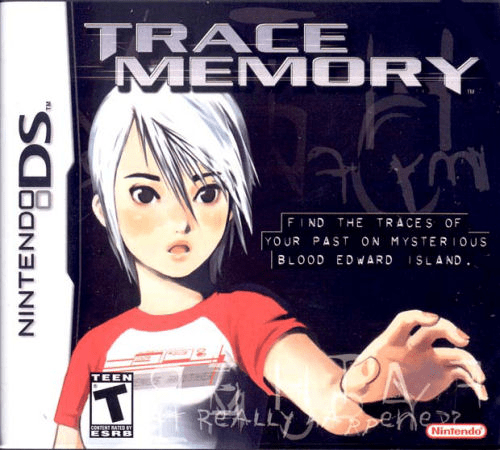
Trace Memory
Play Trace Memory online. Investigate an island mansion with Ashley, using touch puzzles, photographs and a ghost’s lost memories. Learn how to start and use the original Nintendo DS controls.
Browser play
Nintendo DS (NDS) — EmulatorJS controls
Default Player 1 keyboard mapping. Change keys in Controller Settings.
| Console button | Keyboard |
|---|---|
| ↑ / ↓ / ← / → | ↑ / ↓ / ← / → |
| A / B / X / Y | Z / X / A / S |
| L / R | Q / E |
| START / SELECT | Enter / V |
| Microphone | Not assigned |
Open Controller Settings to configure your keyboard or gamepad. Touch controls are available on mobile.
How to Play Trace Memory
Quick start
Begin with the boat conversation with Jessica. At the dock, speak to the captain, then follow the path to look for Jessica. When the drawbridge blocks your route, inspect its round handle and turn it with the stylus. Use investigation icons to search objects closely and keep track of clues.
Controls
D-Pad or touch screen: move Ashley. Touch icons and scene details: investigate or select. A: confirm, examine, talk. B: cancel/back. X: inventory. START: DTS menu. R: take a photo; L/R rotate photos in the photo view. Certain original DS puzzles require microphone input or closing and opening the system.
Trace Memory — About this game
A letter from the father she believed dead brings Ashley to Blood Edward Island with Jessica. The search leads into an old mansion, where the ghost D’s missing memories intertwine with her own family history. Exploration alternates between moving through the island and examining close-up scenes for clues, objects and conversations. Ashley’s DTS stores messages and photographs, allowing a detail from one room to help solve a puzzle elsewhere. The original DS design also uses touch gestures, the microphone and the system’s lid for particular puzzles. Observing carefully and remembering what people say is the main way forward.
Trace Memory Game manuals
Cheats
No cheats have been added for this edition.
Player verification and sources
Browser play was reviewed before this edition was published in the catalogue. The date below is the catalogue publication date, not the game’s original release date.
- Browser test and catalogue publication date
- Browsers and devices
- PC: Chrome, Edge and Firefox. Mobile: Chrome on Android and Safari on iPhone and iPad.
- Player engine and core
- EmulatorJS 4.3.0-pre · nds
- Tested by
- rwEmulator
Sources and editorial basis
rwEmulator reviews edition metadata, release information, game manuals and first-hand browser-play notes. Available manuals are linked below; the editorial policy explains how facts are checked and corrections are handled.