More browsing paths
Play Tsuppari Oozumou (Japan edition · Japanese) Online
Tsuppari Oozumou
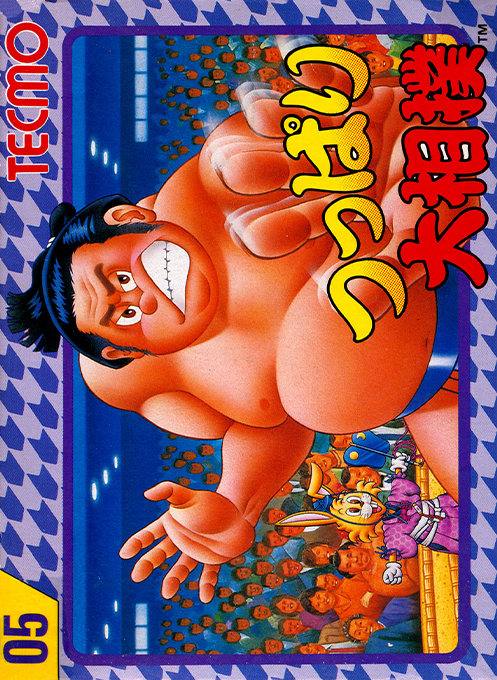
Play ``Tsupari Sumo'' online for Famicom. Train your wrestlers by using different techniques and aim to become a yokozuna. Introducing the five-man knockout match between the two, how to operate it, and password reset.
Browser play
Nintendo Entertainment System (NES) / Famicom — EmulatorJS controls
Default Player 1 keyboard mapping. Change keys in Controller Settings.
| Console button | Keyboard |
|---|---|
| ↑ / ↓ / ← / → | ↑ / ↓ / ← / → |
| A / B | Z / X |
| START / SELECT | Enter / V |
Open Controller Settings to configure your keyboard or gamepad. Touch controls are available on mobile.
How to Play Tsuppari Oozumou
Quick start
Press SELECT on the title, select "Start", and proceed to promotion mode with START. For the shikona, select a letter with the cross keys, press A to confirm, and if you make a mistake, press B to erase. B usually stands and A dashes. Before teaming up, check the distance between you and your opponent, and once you've teamed up, try throwing +B towards your opponent or throwing +B in the opposite direction. If you press SELECT while the location and number of days are displayed, the gradebook will open, so refrain from reading "Rikishi no Kokoroe" before the end. To continue, click START from the title ``Continue'' and enter your password.
Controls
D-pad left and right: Movement when not assembled. B is normal for standing, A is dash. When you are far away from the opponent, press +A toward the opponent to charge. When not assembled, press +B in any direction other than downwards to tighten, and press downwards +B to dust. When teamed up, move towards the opponent with +B, push with +A towards the opponent, throw with +B in the opposite direction of the opponent, and hang with up +B. Hitting B repeatedly while lifting extends the lifting time, and is used to get down faster on the lifted side. Select the mode with SELECT and decide the title with START. SELECT while displaying the location and days to see the gradebook. To enter your name and password, use the cross keys to select, press A to confirm, and press B to delete or correct. Use the four-way controller to select the room and starting wrestler in battle mode and press START to begin.
Tsuppari Oozumou — About this game
"Tsupari Sumo" is a sumo game for the Famicom that features a promotion mode in which wrestlers are trained through repeated efforts, and a battle mode in which two people lead a sumo stable. In promotion mode, he gives himself a shikona and aims to become a yokozuna from the 13th maegashira rank. One place is No. 15, and you are promoted according to your performance, and as you win more victories, your "armpit" increases and your offensive and defensive power increases. Techniques vary depending on the distance with the opponent and whether or not they are teamed up, and it is important to judge whether to pull away from them, approach them by teaming up, or throw in the opposite direction. Your physical strength gradually recovers with attacks, and when the meter lights up, it's a good time to perform a move. The battle mode is a knockout match where you choose from four rooms and each of the five wrestlers defeats the other five wrestlers first. If you have progressed through career advancement mode, you can resume it by noting the password "Rikishi no Kokoroe" in the report card.
Cheats
No cheats have been added for this edition.
Player verification and sources
Browser play was reviewed before this edition was published in the catalogue. The date below is the catalogue publication date, not the game’s original release date.
- Browser test and catalogue publication date
- Browsers and devices
- PC: Chrome, Edge and Firefox. Mobile: Chrome on Android and Safari on iPhone and iPad.
- Player engine and core
- EmulatorJS 4.3.0-pre · nes
- Tested by
- rwEmulator
Sources and editorial basis
rwEmulator reviews edition metadata, release information, game manuals and first-hand browser-play notes. Available manuals are linked below; the editorial policy explains how facts are checked and corrections are handled.