More browsing paths
Play Tsuppari Wars (Japan edition · Japanese) Online
Tsuppari Wars
Play Famicom ``Tsuppari Wars'' online. Let's take on the conflict in three stages: turf wars, group battles, and tie-ups. You can also check the differences in modes, operations, and save methods.
Browser play
Nintendo Entertainment System (NES) / Famicom — EmulatorJS controls
Default Player 1 keyboard mapping. Change keys in Controller Settings.
| Console button | Keyboard |
|---|---|
| ↑ / ↓ / ← / → | ↑ / ↓ / ← / → |
| A / B | Z / X |
| START / SELECT | Enter / V |
Open Controller Settings to configure your keyboard or gamepad. Touch controls are available on mobile.
How to Play Tsuppari Wars
Quick start
In the title, select the mode with the cross keys, confirm with A, and start with START. If it's your first time, select "Tsuppari Wars" and proceed with setting your name and face. On the strategic map, select your attack source area and the enemy area adjacent to it, and confirm "Kougeki" with A. After the battle, consider moving troops and bosses to the adjacent own area, and from the second turn onwards, use replenishment before the attack. In team battles, press A to switch the character you are controlling and press B to attack. Taiman starts with a contact between the bosses and jumps upwards, using A's punch and B's kick. You can save at START on the map, but you cannot save until you finish attacking or moving.
Controls
Menu: Use the four-way controller to select an item, A to confirm, B to cancel, START to start. Strategy map: Move cursor with D-pad, A to confirm, B to cancel, SELECT to status, START to save. For troop movement, adjust the number of soldiers with up and down, the boss movement with left and right, and confirm with A. Adjust the number of replacements up and down and confirm with A. Group battle: Move in eight directions with the cross key, send the cursor of the character you are controlling with A, and attack with B. Throw with B from behind the enemy. Move to the item field with A, select tools with left and right, and use with B. Timan: Walk left and right, press twice in the same direction to run. Jump above, crouch below, A to punch, B to kick. When teaming up with an enemy, throw with A+B.
Tsuppari Wars — About this game
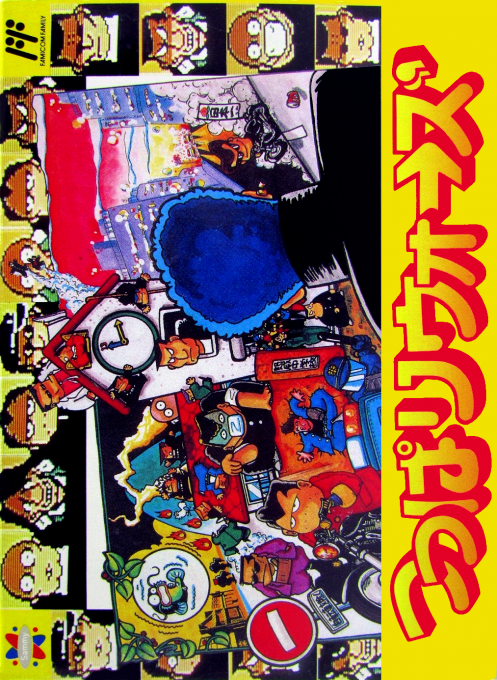
"Tsupari Wars" is a Famicom work that combines the strategy of deploying soldiers and bosses to capture territory with the action of directly moving the characters. In ``Tsupari Wars,'' which advances the story, the protagonist is chosen from among 20 people, and the conflict spreads from the middle school student edition to the high school student edition. "Tupparisk" is a battle for one to three players to choose from seven types of maps, and the goal is to defeat all the enemy's big bosses by repeating attacks and movements in order. When you attack on the map, the battle shifts to a group battle of eight people from each team, and you fight by switching control characters and making full use of six types of items. When bosses come into contact with each other, it becomes a one-on-one tie, with the aim of finishing the battle with punches, kicks, and throws. In the independent "Taiman Battle", you can enjoy a five-on-five elimination battle with one or two players. Attack, jump, and defense characteristics differ depending on the character's face, making it important to allocate troops and choose an opponent to fight.
Cheats
No cheats have been added for this edition.
Player verification and sources
Browser play was reviewed before this edition was published in the catalogue. The date below is the catalogue publication date, not the game’s original release date.
- Browser test and catalogue publication date
- Browsers and devices
- PC: Chrome, Edge and Firefox. Mobile: Chrome on Android and Safari on iPhone and iPad.
- Player engine and core
- EmulatorJS 4.3.0-pre · nes
- Tested by
- rwEmulator
Sources and editorial basis
rwEmulator reviews edition metadata, release information, game manuals and first-hand browser-play notes. Available manuals are linked below; the editorial policy explains how facts are checked and corrections are handled.