More browsing paths
Play Tsuri Sensei 2 (SGB Enhanced / GB Compatible · Japan edition · Japanese) Online
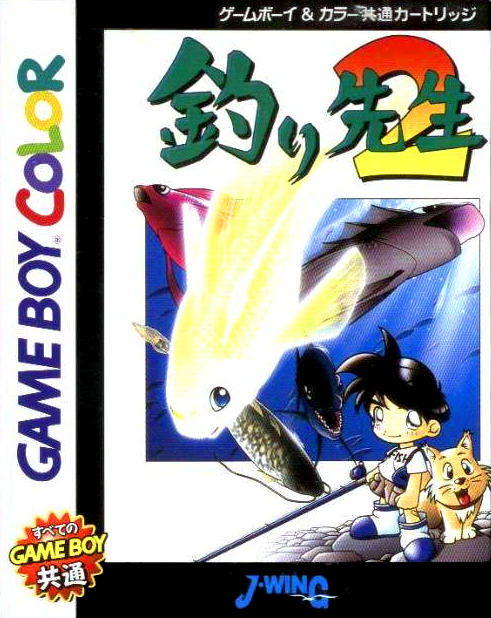
Tsuri Sensei 2
Play Tsuri Sensei 2 online on GBC. Choose your tackle, read the bite and practise landing fish.
Browser play
Game Boy Color (GBC) — EmulatorJS controls
Default Player 1 keyboard mapping. Change keys in Controller Settings.
| Console button | Keyboard |
|---|---|
| ↑ / ↓ / ← / → | ↑ / ↓ / ← / → |
| A / B | Z / X |
| START / SELECT | Enter / V |
Open Controller Settings to configure your keyboard or gamepad. Touch controls are available on mobile.
How to Play Tsuri Sensei 2
Quick start
Choose a fishing location and prepare the available rod and tackle. Use the directional pad to choose the casting direction, then A to cast. Watch for the bite signal and use A to respond and reel in; return to the choices with B when you want to change your approach.
Controls
The directional pad moves menu choices and adjusts the casting direction. A confirms, casts and reels according to the fishing phase; B cancels or returns to the preceding choice.
Tsuri Sensei 2 — About this game
Work through tackle and location choices before settling into a rhythm of casting and retrieving. Give the bite time to develop, then react without rushing through the catch. When attempts fail, compare the conditions and try a different position or setup. The appeal is in gradually learning which decisions produce a better result at the water.
Cheats
No cheats have been added for this edition.
Player verification and sources
Browser play was reviewed before this edition was published in the catalogue. The date below is the catalogue publication date, not the game’s original release date.
- Browser test and catalogue publication date
- Browsers and devices
- PC: Chrome, Edge and Firefox. Mobile: Chrome on Android and Safari on iPhone and iPad.
- Player engine and core
- EmulatorJS 4.3.0-pre · gb
- Tested by
- rwEmulator
Sources and editorial basis
rwEmulator reviews edition metadata, release information, game manuals and first-hand browser-play notes. Available manuals are linked below; the editorial policy explains how facts are checked and corrections are handled.