More browsing paths
Play Turbo - Super Stunt Squad (US edition · English / French / Spanish) Online
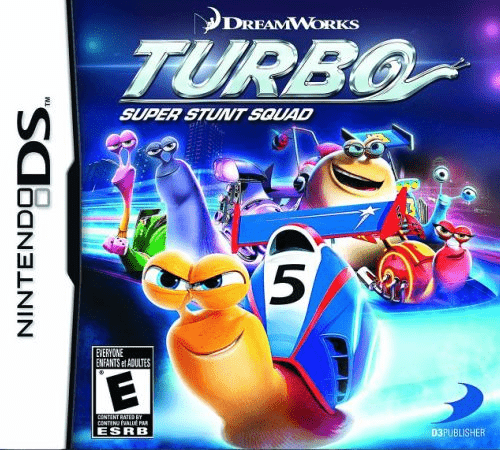
Turbo - Super Stunt Squad
Play Turbo - Super Stunt Squad online. Race as the film’s speedy snails through courses built around their small world.
Browser play
Nintendo DS (NDS) — EmulatorJS controls
Default Player 1 keyboard mapping. Change keys in Controller Settings.
| Console button | Keyboard |
|---|---|
| ↑ / ↓ / ← / → | ↑ / ↓ / ← / → |
| A / B / X / Y | Z / X / A / S |
| L / R | Q / E |
| START / SELECT | Enter / V |
| Microphone | Not assigned |
Open Controller Settings to configure your keyboard or gamepad. Touch controls are available on mobile.
How to Play Turbo - Super Stunt Squad
Quick start
Choose Quick Race to learn a course and snail, then enter Tournament when you can finish clean laps.
Controls
Use the Control Pad to steer and follow the displayed accelerate, brake, jump/trick and item button prompts. Keep the racing line after landing.
Turbo - Super Stunt Squad — About this game
Race as the film’s speedy snails through courses built around their small world. The DS game offers Tournament, Time Trial and Quick Race, with shell bumps and airborne tricks that award useful items. Start with a short race to learn corners, then try a cup where placing well matters across its courses. Use jumps deliberately: a trick can earn speed or protection, but a poor landing loses the line into the next bend. Watch the track ahead and save an item for a useful stretch rather than using everything immediately.
Turbo - Super Stunt Squad Game manuals
Cheats
No cheats have been added for this edition.
Player verification and sources
Browser play was reviewed before this edition was published in the catalogue. The date below is the catalogue publication date, not the game’s original release date.
- Browser test and catalogue publication date
- Browsers and devices
- PC: Chrome, Edge and Firefox. Mobile: Chrome on Android and Safari on iPhone and iPad.
- Player engine and core
- EmulatorJS 4.3.0-pre · nds
- Tested by
- rwEmulator
Sources and editorial basis
rwEmulator reviews edition metadata, release information, game manuals and first-hand browser-play notes. Available manuals are linked below; the editorial policy explains how facts are checked and corrections are handled.