More browsing paths
Play TV Anime Fairy Tail - Gekitou! Madoushi Kessen (Japan edition · Japanese) Online
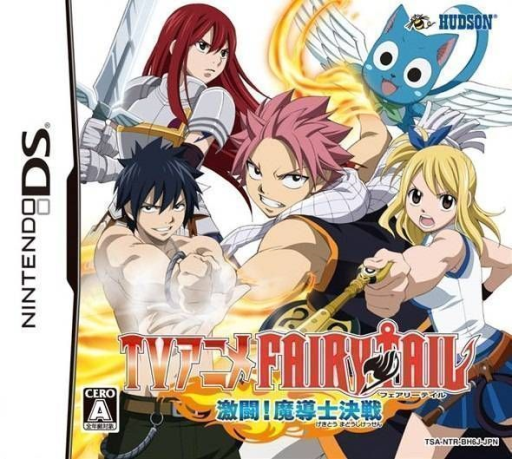
TV Anime Fairy Tail - Gekitou! Madoushi Kessen
Play TV Anime Fairy Tail - Gekitou! Madoushi Kessen online. Fight as Fairy Tail’s wizards in a magic battle game with story and guild-request routes.
Browser play
Nintendo DS (NDS) — EmulatorJS controls
Default Player 1 keyboard mapping. Change keys in Controller Settings.
| Console button | Keyboard |
|---|---|
| ↑ / ↓ / ← / → | ↑ / ↓ / ← / → |
| A / B / X / Y | Z / X / A / S |
| L / R | Q / E |
| START / SELECT | Enter / V |
| Microphone | Not assigned |
Open Controller Settings to configure your keyboard or gamepad. Touch controls are available on mobile.
How to Play TV Anime Fairy Tail - Gekitou! Madoushi Kessen
Quick start
Choose Story and an early fight. Learn the displayed attack and magic actions, then try a guild quest. Collect a Magic Medal, equip it through customization and test the result in another fight.
Controls
Use the shown DS movement and battle buttons, following the current spell prompts. Select Magic Medals in the equipment menu and inspect their effects before confirming. Read the fighter’s action guide when changing characters.
TV Anime Fairy Tail - Gekitou! Madoushi Kessen — About this game
Fight as Fairy Tail’s wizards in a magic battle game with story and guild-request routes. Story mode follows five episode groups, while quests earn Magic Medals that can be equipped to change characters and magic. This makes trying a different setup part of preparing for the next opponent. Begin with an early story fight and learn movement, attack timing and the displayed spell controls before taking a quest. After earning a medal, read its effect and test the changed setup against the computer rather than assuming every spell works at the same distance.
TV Anime Fairy Tail - Gekitou! Madoushi Kessen Game manuals
Cheats
No cheats have been added for this edition.
Player verification and sources
Browser play was reviewed before this edition was published in the catalogue. The date below is the catalogue publication date, not the game’s original release date.
- Browser test and catalogue publication date
- Browsers and devices
- PC: Chrome, Edge and Firefox. Mobile: Chrome on Android and Safari on iPhone and iPad.
- Player engine and core
- EmulatorJS 4.3.0-pre · nds
- Tested by
- rwEmulator
Sources and editorial basis
rwEmulator reviews edition metadata, release information, game manuals and first-hand browser-play notes. Available manuals are linked below; the editorial policy explains how facts are checked and corrections are handled.