More browsing paths
Play Uchuusen: Cosmo Carrier (Japan edition · Japanese) Online
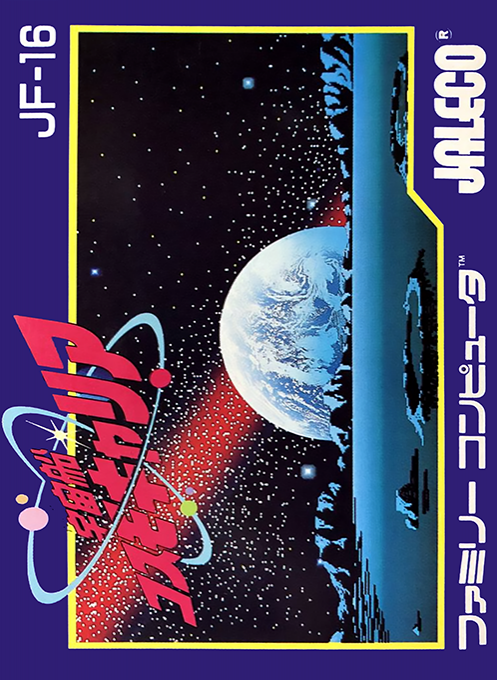
Uchuusen: Cosmo Carrier
Play "Spaceship Cosmo Carrier" online. Collect 6 photon missile parts within 100 days by communicating, fighting, and exploring the surface of the solar system.
Browser play
Nintendo Entertainment System (NES) / Famicom — EmulatorJS controls
Default Player 1 keyboard mapping. Change keys in Controller Settings.
| Console button | Keyboard |
|---|---|
| ↑ / ↓ / ← / → | ↑ / ↓ / ← / → |
| A / B | Z / X |
| START / SELECT | Enter / V |
Open Controller Settings to configure your keyboard or gamepad. Touch controls are available on mobile.
How to Play Uchuusen: Cosmo Carrier
Quick start
Select START using SELECT on the title and start with A. In outer space, use the cross button to aim at the target, press A to lock, then press COMMUNICATE to listen to information, and use COMPUTER to find out its identity and abilities. Even the enemy may know the landing site, so be careful not to shoot it down before you get the information. Use MOVE to land on a planet or satellite that you have learned about the landing site, and use your command suit to search for and destroy enemy bases. If the energy or equipment is dangerous, return to Earth to replenish and repair it, and collect the six parts while keeping track of the password.
Controls
Cross button: Moves the cursor on the space screen and menu, and moves the command suit when landing. A: Fixed aim, displays aiming cursor when entering menus or using command suit. B: Cancel sight fixation, cancel menu, hide command suit sight. START: Start a new game/pause and cancel during play. SELECT: Select START/CONTINUE by title. To enter the password, use the cross button to select the letter and position, and press A to confirm.
Uchuusen: Cosmo Carrier — About this game
"Spaceship Cosmo Carrier" is a simulation for the Famicom in which players explore the solar system to destroy the planetary fortress Battlestar, which controls the moon as it approaches Earth. In space, you select spaceships, planets, and satellites with the aiming cursor, obtain information on landing sites through communications, check targets and damage using a computer, and fight enemies with missiles whose beam and power can be adjusted. After landing, move three command suits to destroy the enemy base and collect equipment and photon missile parts. Warp, attack, shield, and repair consume energy and days, so it is important to determine the route and supply to collect 6 parts within the 100-day deadline.
Cheats
No cheats have been added for this edition.
Player verification and sources
Browser play was reviewed before this edition was published in the catalogue. The date below is the catalogue publication date, not the game’s original release date.
- Browser test and catalogue publication date
- Browsers and devices
- PC: Chrome, Edge and Firefox. Mobile: Chrome on Android and Safari on iPhone and iPad.
- Player engine and core
- EmulatorJS 4.3.0-pre · nes
- Tested by
- rwEmulator
Sources and editorial basis
rwEmulator reviews edition metadata, release information, game manuals and first-hand browser-play notes. Available manuals are linked below; the editorial policy explains how facts are checked and corrections are handled.