More browsing paths
Play Unou no Tatsujin - Soukai! Machigai Museum 2 (Japan edition · Japanese) Online
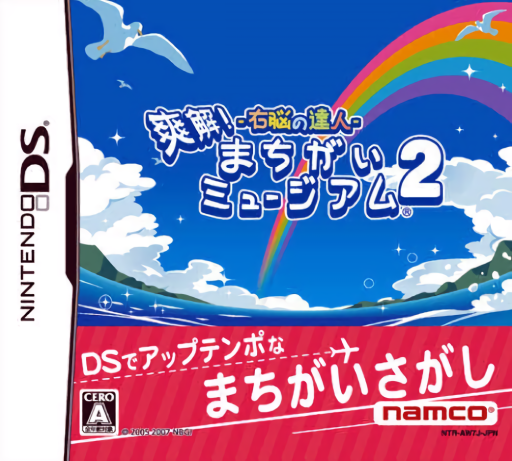
Unou no Tatsujin - Soukai! Machigai Museum 2
Play Unou no Tatsujin - Soukai! Machigai Museum 2 online. Compare paired illustrations and adapt when scratch, spotlight or sound rules change the search. See the Nintendo DS starting guide and controls.
Browser play
Nintendo DS (NDS) — EmulatorJS controls
Default Player 1 keyboard mapping. Change keys in Controller Settings.
| Console button | Keyboard |
|---|---|
| ↑ / ↓ / ← / → | ↑ / ↓ / ← / → |
| A / B / X / Y | Z / X / A / S |
| L / R | Q / E |
| START / SELECT | Enter / V |
| Microphone | Not assigned |
Open Controller Settings to configure your keyboard or gamepad. Touch controls are available on mobile.
How to Play Unou no Tatsujin - Soukai! Machigai Museum 2
Quick start
Choose an introductory search, read its special rule and compare one small area. Mark a confirmed difference, then move to the next area.
Controls
Use the stylus to mark differences and follow scratch or spotlight prompts. If a task requests microphone input, follow that specific instruction; do not treat every round as ordinary tapping.
Unou no Tatsujin - Soukai! Machigai Museum 2 — About this game
Look between the two pictures, find a genuine difference and mark it on the touch screen. The sequel adds rules such as a searchlight or animal imitation alongside scratch and leaf-clearing variations. Read the current instruction before searching, since visibility or input can change from one challenge to the next. Start with a straightforward pair and scan one area at a time. Once a location differs, check the corresponding place in the other picture before committing; speed is useful only when the mark is accurate.
Unou no Tatsujin - Soukai! Machigai Museum 2 Game manuals
Cheats
No cheats have been added for this edition.
Player verification and sources
Browser play was reviewed before this edition was published in the catalogue. The date below is the catalogue publication date, not the game’s original release date.
- Browser test and catalogue publication date
- Browsers and devices
- PC: Chrome, Edge and Firefox. Mobile: Chrome on Android and Safari on iPhone and iPad.
- Player engine and core
- EmulatorJS 4.3.0-pre · nds
- Tested by
- rwEmulator
Sources and editorial basis
rwEmulator reviews edition metadata, release information, game manuals and first-hand browser-play notes. Available manuals are linked below; the editorial policy explains how facts are checked and corrections are handled.