More browsing paths
Play Vegas Games (Europe edition · English / French / German) Online
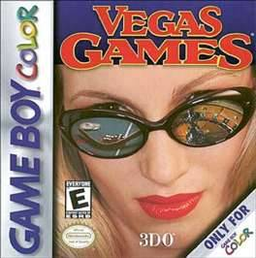
Vegas Games
Play Vegas Games online on GBC. Explore casino tables and practise their rules with virtual chips.
Browser play
Game Boy Color (GBC) — EmulatorJS controls
Default Player 1 keyboard mapping. Change keys in Controller Settings.
| Console button | Keyboard |
|---|---|
| ↑ / ↓ / ← / → | ↑ / ↓ / ← / → |
| A / B | Z / X |
| START / SELECT | Enter / V |
Open Controller Settings to configure your keyboard or gamepad. Touch controls are available on mobile.
How to Play Vegas Games
Quick start
Move around the casino with the directional pad and read the game name at the bottom. Press START or A to enter a table. Select the betting spot and use A to place or increase the stake, B to reduce it, then follow the table’s available decisions.
Controls
The directional pad moves around the casino and table screens. A selects options and places or increases bets; B decreases bets, deselects and backs out. START enters or exits games. SELECT navigates some table screens.
Vegas Games — About this game
Blackjack, baccarat, craps and roulette sit alongside the money wheel, keno, slots and video poker. The entrance gives you a starting balance, and the statistics screen records gains and losses for each game during the current session. Use small virtual bets while learning a table; a result changes the balance, but it does not replace understanding the rules.
Vegas Games Game manuals
Cheats
No cheats have been added for this edition.
Player verification and sources
Browser play was reviewed before this edition was published in the catalogue. The date below is the catalogue publication date, not the game’s original release date.
- Browser test and catalogue publication date
- Browsers and devices
- PC: Chrome, Edge and Firefox. Mobile: Chrome on Android and Safari on iPhone and iPad.
- Player engine and core
- EmulatorJS 4.3.0-pre · gb
- Tested by
- rwEmulator
Sources and editorial basis
rwEmulator reviews edition metadata, release information, game manuals and first-hand browser-play notes. Available manuals are linked below; the editorial policy explains how facts are checked and corrections are handled.