More browsing paths
Play Videomation (US edition · English) Online
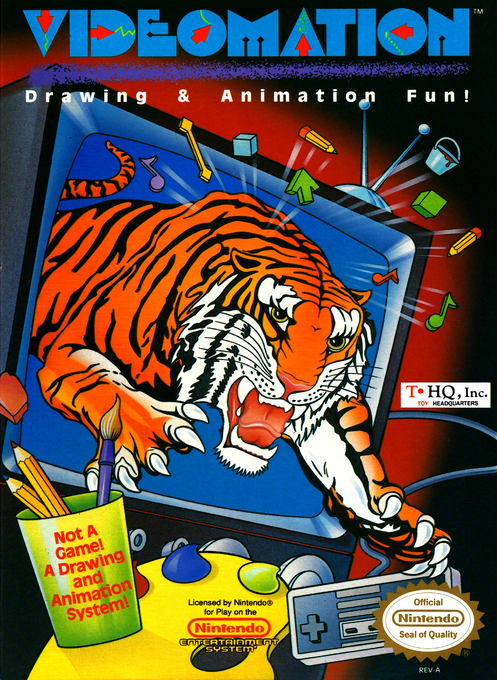
Videomation
Play Videomation online and create NES art with drawing tools, stamps, and animated figures. Learn menu navigation, cursor speed, and animation playback.
Browser play
Nintendo Entertainment System (NES) / Famicom — EmulatorJS controls
Default Player 1 keyboard mapping. Change keys in Controller Settings.
| Console button | Keyboard |
|---|---|
| ↑ / ↓ / ← / → | ↑ / ↓ / ← / → |
| A / B | Z / X |
| START / SELECT | Enter / V |
Open Controller Settings to configure your keyboard or gamepad. Touch controls are available on mobile.
How to Play Videomation
Quick start
Press SELECT for the menu. Highlight Pencil and a color with the D-pad, selecting each with A, then SELECT back to the canvas. Hold A and move to draw. For animation, choose an animation with A, press SELECT to open Motion, choose a path and press A or SELECT to play it. A or SELECT stops animation and returns to drawing.
Controls
D-pad: move tools/menu highlights; steer Follow animation. A: select, draw, fill, or stamp. B: move the Arrow tool without drawing; in letter stamping, cycle characters, or hold B with Up/Down to browse them. SELECT: enter/leave menus. START: cycle five tool speeds, wrapping from fastest to slowest. With Line, Rectangle, or Circle, hold A to anchor, move to size the preview, then release A to commit. Clear requires Yes plus A and cannot be undone.
Videomation — About this game
Videomation is a creative drawing and animation tool, not a campaign with enemies or an ending. Build a scene with freehand lines, geometric shapes, fills, colors, and stamps, then place a premade animation over it. Animated figures can follow preset routes, move randomly, or respond to the D-pad in Follow mode. Cursor speed and line width help with broad shapes or small details, while letter stamps add captions. Clear permanently removes the picture, so use its confirmation carefully. The original cartridge's preservation method is recording the screen with a VCR, rather than saving an editable artwork file.
Cheats
No cheats have been added for this edition.
Player verification and sources
Browser play was reviewed before this edition was published in the catalogue. The date below is the catalogue publication date, not the game’s original release date.
- Browser test and catalogue publication date
- Browsers and devices
- PC: Chrome, Edge and Firefox. Mobile: Chrome on Android and Safari on iPhone and iPad.
- Player engine and core
- EmulatorJS 4.3.0-pre · nes
- Tested by
- rwEmulator
Sources and editorial basis
rwEmulator reviews edition metadata, release information, game manuals and first-hand browser-play notes. Available manuals are linked below; the editorial policy explains how facts are checked and corrections are handled.