More browsing paths
Play W.I.T.C.H. (Europe edition · English / French / German / Spanish / Italian) Online
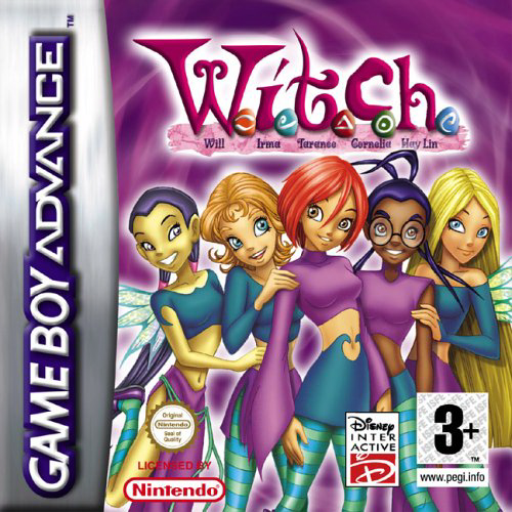
W.I.T.C.H.
Play W.I.T.C.H. online on GBA, switching among the five Guardians and Caleb to combine elemental powers, flight, platforming and combat across the story’s chapters.
Browser play
Game Boy Advance (GBA) — EmulatorJS controls
Default Player 1 keyboard mapping. Change keys in Controller Settings.
| Console button | Keyboard |
|---|---|
| ↑ / ↓ / ← / → | ↑ / ↓ / ← / → |
| A / B | Z / X |
| L / R | Q / E |
| START / SELECT | Enter / V |
Open Controller Settings to configure your keyboard or gamepad. Touch controls are available on mobile.
How to Play W.I.T.C.H.
Quick start
Press START, choose Play Game, select a save slot and New Game. Chapter 1 begins with Hay Lin’s vision; after the scene you control Elyon in a tutorial stage. Move right, follow the on-screen prompts for jumping/flying and attacks, and use the early rooms to learn each Guardian before the story moves towards the Silver Dragon.
Controls
D-pad: move. A: jump; tap repeatedly to fly; Down+A drops through a platform. B: use the active Guardian’s attack/power; Up+B opens a door. Hold L, choose a Guardian with the D-pad and release; tap L to return to Will. R switches Caleb between sword and longbow. START: pause.
Cheats
No cheats have been added for this edition.
Player verification and sources
Browser play was reviewed before this edition was published in the catalogue. The date below is the catalogue publication date, not the game’s original release date.
- Browser test and catalogue publication date
- Browsers and devices
- PC: Chrome, Edge and Firefox. Mobile: Chrome on Android and Safari on iPhone and iPad.
- Player engine and core
- EmulatorJS 4.3.0-pre · gba
- Tested by
- rwEmulator
Sources and editorial basis
rwEmulator reviews edition metadata, release information, game manuals and first-hand browser-play notes. Available manuals are linked below; the editorial policy explains how facts are checked and corrections are handled.