More browsing paths
Play Wario Land 4 (US edition · English) Online
Wario Land 4
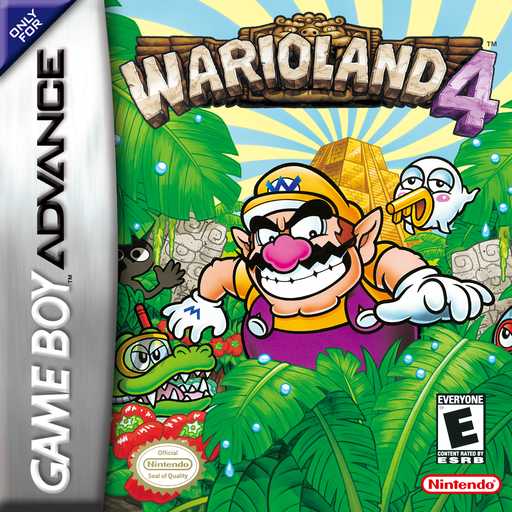
Play Wario Land 4 online on GBA, explore the Golden Pyramid, collect Jewel Pieces and keys, trigger timed escapes and master Wario’s transformations and attacks.
Browser play
Game Boy Advance (GBA) — EmulatorJS controls
Default Player 1 keyboard mapping. Change keys in Controller Settings.
| Console button | Keyboard |
|---|---|
| ↑ / ↓ / ← / → | ↑ / ↓ / ← / → |
| A / B | Z / X |
| L / R | Q / E |
| START / SELECT | Enter / V |
Open Controller Settings to configure your keyboard or gamepad. Touch controls are available on mobile.
How to Play Wario Land 4
Quick start
Choose a save slot and difficulty, enter the Entry Passage and start Hall of Hieroglyphs. Follow the wall pictures to practise pipes, ground pounds, attacks, dashes and throwing. Collect all four Jewel Pieces and the Keyzer if possible, then hit the Frog Switch: a timer starts and the entrance vortex reopens, so retrace the route before time expires.
Controls
D-pad Left/Right moves, Up looks or enters an upward pipe, Down crouches, enters a pipe, ground-pounds in air and crawls with Left/Right. A jumps or swims up and confirms. B attacks, picks up/throws objects and swims; hold to charge a throw, Up+B throws upward. L or R starts a Dash Attack. START pauses. Menus use D-pad, A confirm and B cancel.
Wario Land 4 Game manuals
Cheats
No cheats have been added for this edition.
Player verification and sources
Browser play was reviewed before this edition was published in the catalogue. The date below is the catalogue publication date, not the game’s original release date.
- Browser test and catalogue publication date
- Browsers and devices
- PC: Chrome, Edge and Firefox. Mobile: Chrome on Android and Safari on iPhone and iPad.
- Player engine and core
- EmulatorJS 4.3.0-pre · gba
- Tested by
- rwEmulator
Sources and editorial basis
rwEmulator reviews edition metadata, release information, game manuals and first-hand browser-play notes. Available manuals are linked below; the editorial policy explains how facts are checked and corrections are handled.