More browsing paths
Play WarioWare: D.I.Y. (US edition · English) Online
WarioWare - D.I.Y.
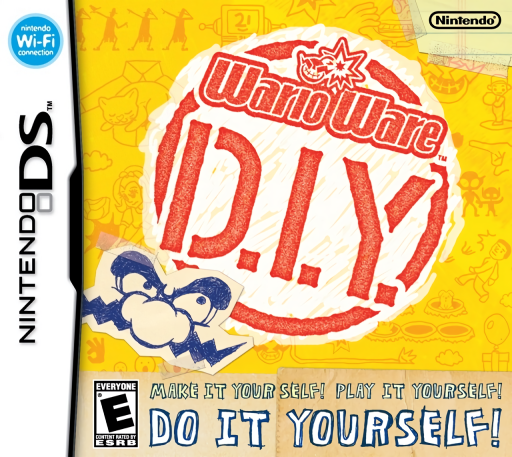
Play WarioWare: D.I.Y. online. Play rapid tap-only microgames, then draw their artwork, compose music and assemble your own interactive ideas.
Browser play
Nintendo DS (NDS) — EmulatorJS controls
Default Player 1 keyboard mapping. Change keys in Controller Settings.
| Console button | Keyboard |
|---|---|
| ↑ / ↓ / ← / → | ↑ / ↓ / ← / → |
| A / B / X / Y | Z / X / A / S |
| L / R | Q / E |
| START / SELECT | Enter / V |
| Microphone | Not assigned |
Open Controller Settings to configure your keyboard or gamepad. Touch controls are available on mobile.
How to Play WarioWare: D.I.Y.
Quick start
Start by entering the D.I.Y. Shop, meet the guide and enter your name. After leaving the shop, visit WarioWare, Inc. and complete every step of the first D.I.Y. 101 lesson. This delivers the Super MakerMatic 21 to your D.I.Y. Studio and unlocks making games. Enter your brand name when asked, then continue the lessons or open the studio. Try a ready-made microgame to see how a short instruction and a single tap work together.
Controls
Use the stylus on the lower screen to select buildings and products, then tap Enter or Play to confirm. Microgames use taps only; holding or dragging the stylus is not a gameplay input. Editors use touch drawing and on-screen controls to arrange art, music and action rules. Tap the on-screen Pause button during a game. Lesson and play progress saves automatically; save a product you are making with Save on its Home Screen.
WarioWare: D.I.Y. — About this game
WarioWare: D.I.Y. turns the series' tiny challenges into something you can build as well as play. The DS studio combines drawn graphics, music and simple event rules: decide what triggers an action, how objects respond and what counts as success. Lessons introduce these parts through guided examples before you develop your own ideas. Ready-made microgames provide quick challenges and examples of how much a simple tap can achieve. Music and comics offer other ways to use the creative tools. Playing and making have different inputs: finished microgames respond to taps, while the editors let you draw and arrange their ingredients. Refining a clear goal is part of the fun.
WarioWare: D.I.Y. Game manuals
Cheats
No cheats have been added for this edition.
Player verification and sources
Browser play was reviewed before this edition was published in the catalogue. The date below is the catalogue publication date, not the game’s original release date.
- Browser test and catalogue publication date
- Browsers and devices
- PC: Chrome, Edge and Firefox. Mobile: Chrome on Android and Safari on iPhone and iPad.
- Player engine and core
- EmulatorJS 4.3.0-pre · nds
- Tested by
- rwEmulator
Sources and editorial basis
rwEmulator reviews edition metadata, release information, game manuals and first-hand browser-play notes. Available manuals are linked below; the editorial policy explains how facts are checked and corrections are handled.