More browsing paths
Play Wi-Fi Taiou - Morita Shougi DS (Japan edition · Japanese) Online
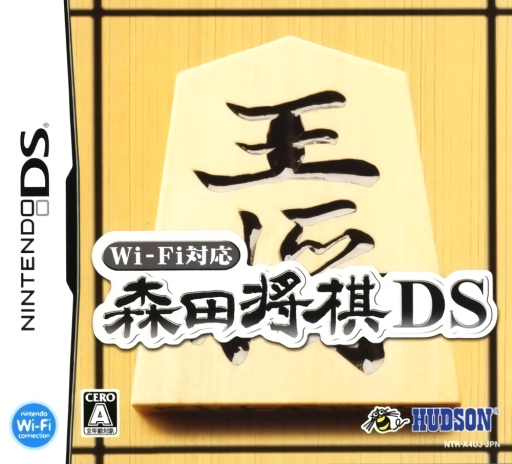
Wi-Fi Taiou - Morita Shougi DS
Play Wi-Fi Taiou - Morita Shougi DS online. Learn from takebacks in practice, then face a no-takeback shogi challenge. Learn how to begin and use the Nintendo DS menus.
Browser play
Nintendo DS (NDS) — EmulatorJS controls
Default Player 1 keyboard mapping. Change keys in Controller Settings.
| Console button | Keyboard |
|---|---|
| ↑ / ↓ / ← / → | ↑ / ↓ / ← / → |
| A / B / X / Y | Z / X / A / S |
| L / R | Q / E |
| START / SELECT | Enter / V |
| Microphone | Not assigned |
Open Controller Settings to configure your keyboard or gamepad. Touch controls are available on mobile.
How to Play Wi-Fi Taiou - Morita Shougi DS
Quick start
Choose practice, a modest difficulty and a suitable handicap. Select a piece and a legal destination, then examine the reply. Use the takeback option to reconsider a mistake; try challenge mode when ready to commit to every move.
Controls
Touch a piece and its destination to make a move. Select a captured piece and a legal empty square for a drop. Follow the promotion prompt when offered, and use the takeback menu in practice mode.
Wi-Fi Taiou - Morita Shougi DS — About this game
Wi-Fi Taiou - Morita Shougi DS offers two ways to face the computer at shogi. Practice mode allows takebacks, giving you room to reconsider a poor move; challenge mode asks you to play without undoing it. Both offer six difficulty levels and eight handicap settings, so choose conditions suited to your experience. Plan not only moves on the board but also the use of captured pieces, which can return as drops under shogi rules. The original DS release includes two-player local wireless and Download Play. Begin with solo practice and review a mistake before increasing the challenge.
Wi-Fi Taiou - Morita Shougi DS Game manuals
Cheats
No cheats have been added for this edition.
Player verification and sources
Browser play was reviewed before this edition was published in the catalogue. The date below is the catalogue publication date, not the game’s original release date.
- Browser test and catalogue publication date
- Browsers and devices
- PC: Chrome, Edge and Firefox. Mobile: Chrome on Android and Safari on iPhone and iPad.
- Player engine and core
- EmulatorJS 4.3.0-pre · nds
- Tested by
- rwEmulator
Sources and editorial basis
rwEmulator reviews edition metadata, release information, game manuals and first-hand browser-play notes. Available manuals are linked below; the editorial policy explains how facts are checked and corrections are handled.