More browsing paths
Play Wi-Fi Taiou - Yakuman DS (Japan edition) Online
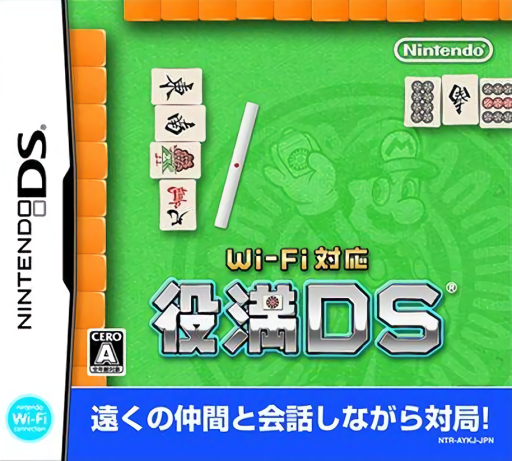
Wi-Fi Taiou - Yakuman DS
Play Wi-Fi Taiou - Yakuman DS online. Learn mahjong with Lakitu, check risky discards and take on Mario’s opponents. Learn how to begin and use the Nintendo DS menus.
Browser play
Nintendo DS (NDS) — EmulatorJS controls
Default Player 1 keyboard mapping. Change keys in Controller Settings.
| Console button | Keyboard |
|---|---|
| ↑ / ↓ / ← / → | ↑ / ↓ / ← / → |
| A / B / X / Y | Z / X / A / S |
| L / R | Q / E |
| START / SELECT | Enter / V |
| Microphone | Not assigned |
Open Controller Settings to configure your keyboard or gamepad. Touch controls are available on mobile.
How to Play Wi-Fi Taiou - Yakuman DS
Quick start
Open the mahjong introduction and complete its steps in order. Begin a solo match, inspect your hand and the table, then choose a discard. Consult the dictionary for unfamiliar terms and try a beginner challenge once comfortable.
Controls
Select tiles and actions with the stylus on the lower screen. Check the opponents’ discards above before confirming your discard. Tap linked dictionary terms for explanations and use the displayed choices for calls or winning declarations.
Wi-Fi Taiou - Yakuman DS — About this game
Wi-Fi Taiou - Yakuman DS combines Japanese mahjong with Mario characters and learning tools. The upper screen shows the table and opponents’ discards, while the touchscreen handles your hand. Beginners can work through Lakitu’s three-step introduction, consult the linked dictionary and use a four-level danger gauge to judge discards. Challenge matches add conditions across beginner, intermediate and advanced courses. Character portraits can be enabled in the options. Start with the lessons, then watch the discard rows as carefully as your own tiles: improving the hand and avoiding an opponent’s win are different decisions.
Wi-Fi Taiou - Yakuman DS Game manuals
Cheats
No cheats have been added for this edition.
Player verification and sources
Browser play was reviewed before this edition was published in the catalogue. The date below is the catalogue publication date, not the game’s original release date.
- Browser test and catalogue publication date
- Browsers and devices
- PC: Chrome, Edge and Firefox. Mobile: Chrome on Android and Safari on iPhone and iPad.
- Player engine and core
- EmulatorJS 4.3.0-pre · nds
- Tested by
- rwEmulator
Sources and editorial basis
rwEmulator reviews edition metadata, release information, game manuals and first-hand browser-play notes. Available manuals are linked below; the editorial policy explains how facts are checked and corrections are handled.