More browsing paths
Play Wings (US edition · English) Online
Wings
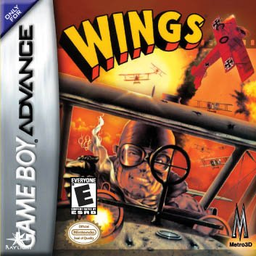
Play Wings online on GBA. Follow a First World War pilot's diary through dogfights, ground-strafing runs and bombing missions.
Browser play
Game Boy Advance (GBA) — EmulatorJS controls
Default Player 1 keyboard mapping. Change keys in Controller Settings.
| Console button | Keyboard |
|---|---|
| ↑ / ↓ / ← / → | ↑ / ↓ / ← / → |
| A / B | Z / X |
| L / R | Q / E |
| START / SELECT | Enter / V |
Open Controller Settings to configure your keyboard or gamepad. Touch controls are available on mobile.
How to Play Wings
Quick start
Choose New Game, create the pilot and advance the diary to the first assigned sortie. Read the mission briefing before take-off. Dogfights require keeping enemy aircraft ahead and firing in short bursts; strafing missions have you line up ground targets, while bombing missions require releasing over the marked objective. Survive and land to move the campaign date forward.
Controls
D-pad: steer the aircraft or move the sight, depending on mission type. A: fire the machine gun in dogfight/strafing missions or release the selected attack in the prompted sequence. B: secondary view/action as shown for the current mission. START: pause. The game changes controls among dogfight, strafing and bombing, so consult the pre-mission screen; unconfirmed L/R details are omitted.
Cheats
No cheats have been added for this edition.
Player verification and sources
Browser play was reviewed before this edition was published in the catalogue. The date below is the catalogue publication date, not the game’s original release date.
- Browser test and catalogue publication date
- Browsers and devices
- PC: Chrome, Edge and Firefox. Mobile: Chrome on Android and Safari on iPhone and iPad.
- Player engine and core
- EmulatorJS 4.3.0-pre · gba
- Tested by
- rwEmulator
Sources and editorial basis
rwEmulator reviews edition metadata, release information, game manuals and first-hand browser-play notes. Available manuals are linked below; the editorial policy explains how facts are checked and corrections are handled.