More browsing paths
Play Winx Club: Magical Fairy Party (US edition · English / French / Spanish) Online
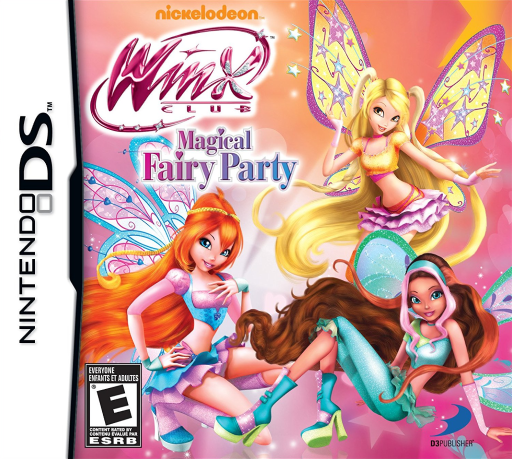
Winx Club - Magical Fairy Party
Play Winx Club: Magical Fairy Party online. Create a fairy, prepare school parties and earn stars for new wardrobe choices. Learn how to begin and use the Nintendo DS menus.
Browser play
Nintendo DS (NDS) — EmulatorJS controls
Default Player 1 keyboard mapping. Change keys in Controller Settings.
| Console button | Keyboard |
|---|---|
| ↑ / ↓ / ← / → | ↑ / ↓ / ← / → |
| A / B / X / Y | Z / X / A / S |
| L / R | Q / E |
| START / SELECT | Enter / V |
| Microphone | Not assigned |
Open Controller Settings to configure your keyboard or gamepad. Touch controls are available on mobile.
How to Play Winx Club: Magical Fairy Party
Quick start
Create your fairy and begin the first party event. Read the assigned preparation, complete its mini-game and work through the remaining tasks. Visit the party after preparing it, then check the wardrobe for unlocked choices.
Controls
Use the stylus to select items, match cards and follow the shown coloring, arranging or stirring gestures. Watch each task’s requested color or shape. At the finished party, tap the scene to interact.
Winx Club: Magical Fairy Party — About this game
Winx Club: Magical Fairy Party invites your own fairy into Alfea’s celebrations. Party preparation takes the form of short activities: match cards for fireworks, build cakes by color and shape, color posters, arrange centerpieces, work with alchemy and catch musical notes. Finish the preparations before visiting the party, where you can tap the scene to interact. Stars unlock items, including more ways to dress your character. Begin with the first event and learn one activity at a time; the cake’s required shape and color need a different response from a poster or a matching task.
Winx Club: Magical Fairy Party Game manuals
Cheats
No cheats have been added for this edition.
Player verification and sources
Browser play was reviewed before this edition was published in the catalogue. The date below is the catalogue publication date, not the game’s original release date.
- Browser test and catalogue publication date
- Browsers and devices
- PC: Chrome, Edge and Firefox. Mobile: Chrome on Android and Safari on iPhone and iPad.
- Player engine and core
- EmulatorJS 4.3.0-pre · nds
- Tested by
- rwEmulator
Sources and editorial basis
rwEmulator reviews edition metadata, release information, game manuals and first-hand browser-play notes. Available manuals are linked below; the editorial policy explains how facts are checked and corrections are handled.