More browsing paths
Play Winx Club: Saving Alfea (US edition · English / French / Spanish) Online
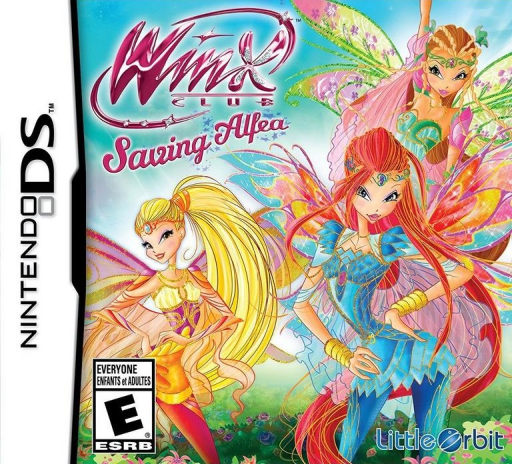
Winx Club - Saving Alfea
Play Winx Club: Saving Alfea online. Switch between human and fairy forms, grow magical ingredients and help save Alfea’s party. Learn how to begin and use the Nintendo DS menus.
Browser play
Nintendo DS (NDS) — EmulatorJS controls
Default Player 1 keyboard mapping. Change keys in Controller Settings.
| Console button | Keyboard |
|---|---|
| ↑ / ↓ / ← / → | ↑ / ↓ / ← / → |
| A / B / X / Y | Z / X / A / S |
| L / R | Q / E |
| START / SELECT | Enter / V |
| Microphone | Not assigned |
Open Controller Settings to configure your keyboard or gamepad. Touch controls are available on mobile.
How to Play Winx Club: Saving Alfea
Quick start
Start the adventure and read the first request. Explore in the current form, then follow the transformation prompt to reach another area. When asked for ingredients, use the garden’s planting and harvesting actions before returning to the task.
Controls
Use the movement controls shown in the opening tutorial. Follow the displayed actions for changing form, flying and casting spells. Select garden tasks and ingredients through the game’s menus and touchscreen prompts.
Winx Club: Saving Alfea — About this game
Winx Club: Saving Alfea sends Bloom and her friends to prepare Alfea’s anniversary celebration while facing Selina and her Legendarium. Human and fairy forms reach different areas; flight, spells and quick movement help solve the action puzzles. The school garden adds another task: prepare soil, plant and harvest ingredients to make helpful spells. Begin by reading the current party request and checking which form can reach the objective. Use the garden when a task needs ingredients rather than trying every obstacle with the same power.
Winx Club: Saving Alfea Game manuals
Cheats
No cheats have been added for this edition.
Player verification and sources
Browser play was reviewed before this edition was published in the catalogue. The date below is the catalogue publication date, not the game’s original release date.
- Browser test and catalogue publication date
- Browsers and devices
- PC: Chrome, Edge and Firefox. Mobile: Chrome on Android and Safari on iPhone and iPad.
- Player engine and core
- EmulatorJS 4.3.0-pre · nds
- Tested by
- rwEmulator
Sources and editorial basis
rwEmulator reviews edition metadata, release information, game manuals and first-hand browser-play notes. Available manuals are linked below; the editorial policy explains how facts are checked and corrections are handled.