More browsing paths
Play Witch's Wish (US edition · English) Online
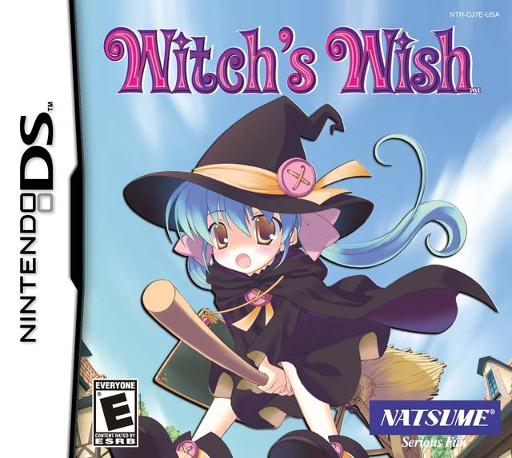
Witch's Wish
Play Witch's Wish online. Help Vicky learn magic, solve town problems and pursue her dream of becoming a witch. Learn how to begin and use the Nintendo DS menus.
Browser play
Nintendo DS (NDS) — EmulatorJS controls
Default Player 1 keyboard mapping. Change keys in Controller Settings.
| Console button | Keyboard |
|---|---|
| ↑ / ↓ / ← / → | ↑ / ↓ / ← / → |
| A / B / X / Y | Z / X / A / S |
| L / R | Q / E |
| START / SELECT | Enter / V |
| Microphone | Not assigned |
Open Controller Settings to configure your keyboard or gamepad. Touch controls are available on mobile.
How to Play Witch's Wish
Quick start
Begin the story and follow the first chapter until Vicky receives her magic board. Tap a target, open the board and select the spell from its book. Follow the numbered arrows, then complete the circle. Save when the story offers the option.
Controls
D-pad: walk and navigate. A: confirm or advance dialogue. B: magic board/back. X: inventory. Y: dialogue history. START: game menu. Tap to talk or investigate; trace spell lines in order and then the circle.
Witch's Wish — About this game
Witch's Wish follows Vicky, a girl who cannot afford the witch school reserved for wealthy children. Meeting a mysterious girl gives her the chance to discover her own magical talent. Talk to townspeople, investigate places and use spells to help others as a dark force threatens the town. Casting requires selecting a target and tracing the spell’s strokes before completing its circle. The adventure unfolds in chapters, with save opportunities offered at specific story points.
Witch's Wish Game manuals
Cheats
No cheats have been added for this edition.
Player verification and sources
Browser play was reviewed before this edition was published in the catalogue. The date below is the catalogue publication date, not the game’s original release date.
- Browser test and catalogue publication date
- Browsers and devices
- PC: Chrome, Edge and Firefox. Mobile: Chrome on Android and Safari on iPhone and iPad.
- Player engine and core
- EmulatorJS 4.3.0-pre · nds
- Tested by
- rwEmulator
Sources and editorial basis
rwEmulator reviews edition metadata, release information, game manuals and first-hand browser-play notes. Available manuals are linked below; the editorial policy explains how facts are checked and corrections are handled.