More browsing paths
Play Wizardry Empire (Japan edition · Japanese) Online
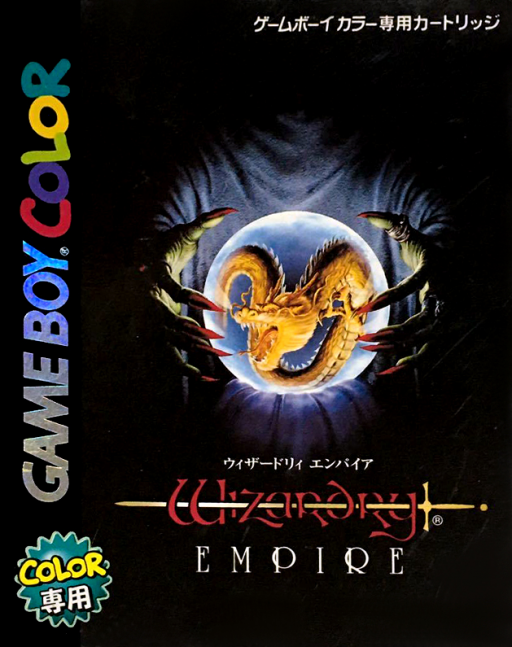
Wizardry Empire
Play Wizardry Empire online on GBC. Build a party, map the dungeon and manage spells and treasure.
Browser play
Game Boy Color (GBC) — EmulatorJS controls
Default Player 1 keyboard mapping. Change keys in Controller Settings.
| Console button | Keyboard |
|---|---|
| ↑ / ↓ / ← / → | ↑ / ↓ / ← / → |
| A / B | Z / X |
| START / SELECT | Enter / V |
Open Controller Settings to configure your keyboard or gamepad. Touch controls are available on mobile.
How to Play Wizardry Empire
Quick start
Press START or A at the title screen and set the play options. Visit the training ground, form a party at Rose’s tavern and buy equipment. Enter the dungeon from the outskirts, then open camp to equip the party before advancing.
Controls
In the dungeon Up advances or opens a door, Down turns around and Left/Right turns 90 degrees. A confirms commands or opens doors; B opens camp or cancels. START or SELECT opens special commands.
Wizardry Empire — About this game
Create adventurers at the training ground or use the six prepared characters, then assemble a party of up to six at Rose’s tavern. The shop supplies equipment, the inn restores the party and handles level gains, and the temple treats serious conditions. Explore in short trips, return with treasure and let a thief examine traps before risking a chest.
Wizardry Empire Game manuals
Cheats
No cheats have been added for this edition.
Player verification and sources
Browser play was reviewed before this edition was published in the catalogue. The date below is the catalogue publication date, not the game’s original release date.
- Browser test and catalogue publication date
- Browsers and devices
- PC: Chrome, Edge and Firefox. Mobile: Chrome on Android and Safari on iPhone and iPad.
- Player engine and core
- EmulatorJS 4.3.0-pre · gb
- Tested by
- rwEmulator
Sources and editorial basis
rwEmulator reviews edition metadata, release information, game manuals and first-hand browser-play notes. Available manuals are linked below; the editorial policy explains how facts are checked and corrections are handled.