More browsing paths
Play Woody Poco (Japan edition · Japanese) Online
Woody Poco
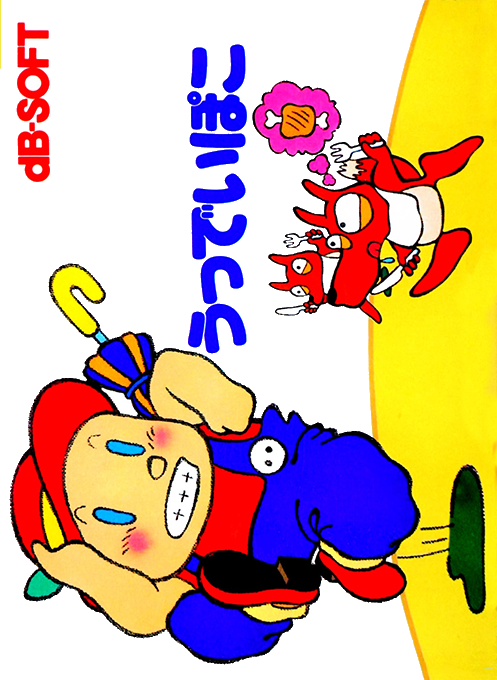
Play Woody Poco online for NES/Famicom. Learn umbrella movement, unusual hand/body equipment and food recovery while exploring the wooden doll’s adventure.
Browser play
Nintendo Entertainment System (NES) / Famicom — EmulatorJS controls
Default Player 1 keyboard mapping. Change keys in Controller Settings.
| Console button | Keyboard |
|---|---|
| ↑ / ↓ / ← / → | ↑ / ↓ / ← / → |
| A / B | Z / X |
| START / SELECT | Enter / V |
Open Controller Settings to configure your keyboard or gamepad. Touch controls are available on mobile.
How to Play Woody Poco
Quick start
Choose a protagonist and begin exploring the spring area to the right. Use A to jump and B to attack; hold B in the air to descend with the umbrella. START opens equipment. B switches right hand, left hand and body use; A equips or removes an item. Apply bread to the body for food. In a shop, press up at a product, carry it to the counter and pay with A rather than taking it outside unpaid.
Controls
D-pad: move. A: jump. B: attack with the right-hand item; hold airborne to open the umbrella. SELECT: pause/resume. START: equipment menu. In equipment, B switches hand/body categories, A equips/removes, and START or SELECT closes it. At shops, up selects merchandise and A purchases it at the counter. START is not the ordinary pause button.
Woody Poco — About this game
Woody Poco combines platforming with item-based exploration. The wooden hero seeks a fairy who can make the doll human, but progress depends on more than fighting. Items have different uses in the right hand, left hand or body slot: bread replenishes food when applied to the body, while lights help with dark underground areas and shoes improve movement. Food supports gradual health recovery. Shops and residents provide supplies and clues, but important objects can also be wasted as weapons, making careless equipment use risky.
Cheats
No cheats have been added for this edition.
Player verification and sources
Browser play was reviewed before this edition was published in the catalogue. The date below is the catalogue publication date, not the game’s original release date.
- Browser test and catalogue publication date
- Browsers and devices
- PC: Chrome, Edge and Firefox. Mobile: Chrome on Android and Safari on iPhone and iPad.
- Player engine and core
- EmulatorJS 4.3.0-pre · nes
- Tested by
- rwEmulator
Sources and editorial basis
rwEmulator reviews edition metadata, release information, game manuals and first-hand browser-play notes. Available manuals are linked below; the editorial policy explains how facts are checked and corrections are handled.