More browsing paths
Play Wordfish (US edition · English) Online
Wordfish
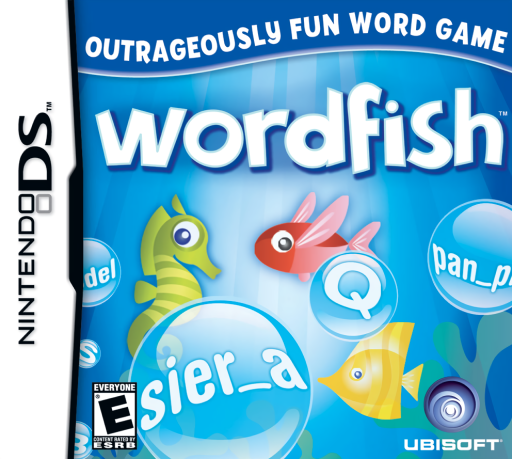
Play Wordfish online. Play English spelling and meaning minigames, then look up the words you encounter. Explore the Nintendo DS gameplay and controls.
Browser play
Nintendo DS (NDS) — EmulatorJS controls
Default Player 1 keyboard mapping. Change keys in Controller Settings.
| Console button | Keyboard |
|---|---|
| ↑ / ↓ / ← / → | ↑ / ↓ / ← / → |
| A / B / X / Y | Z / X / A / S |
| L / R | Q / E |
| START / SELECT | Enter / V |
| Microphone | Not assigned |
Open Controller Settings to configure your keyboard or gamepad. Touch controls are available on mobile.
How to Play Wordfish
Quick start
Choose an available vocabulary activity and read its instructions before starting. In a definition exercise, compare the explanation above with the candidate word below and use the displayed Confirm control when appropriate. In the falling-letter activity, use the letters to spell the upper-screen target, then review unfamiliar meanings afterwards.
Controls
Use the stylus on the lower-screen controls and follow the active minigame’s input instructions. The definition screen has a Confirm control for its displayed word. Letter tasks have their own interaction, so read their prompt rather than assuming one gesture works in all six games. The vocabulary here is English.
Wordfish — About this game
Wordfish combines short vocabulary activities with definitions from the Cambridge dictionary. One challenge uses falling letter blocks to spell the word displayed above; others focus on matching words with meaning. A daily target and unlockable activities give sessions a structure, while already available games can be repeated for another attempt. The Word Power display records progress within the game, and definitions let you revisit unfamiliar English words after playing. Different activities change the task instead of turning everything into one long word search.
Wordfish Game manuals
Cheats
No cheats have been added for this edition.
Player verification and sources
Browser play was reviewed before this edition was published in the catalogue. The date below is the catalogue publication date, not the game’s original release date.
- Browser test and catalogue publication date
- Browsers and devices
- PC: Chrome, Edge and Firefox. Mobile: Chrome on Android and Safari on iPhone and iPad.
- Player engine and core
- EmulatorJS 4.3.0-pre · nds
- Tested by
- rwEmulator
Sources and editorial basis
rwEmulator reviews edition metadata, release information, game manuals and first-hand browser-play notes. Available manuals are linked below; the editorial policy explains how facts are checked and corrections are handled.