More browsing paths
Play Worms: Open Warfare 2 (US edition · English / French) Online
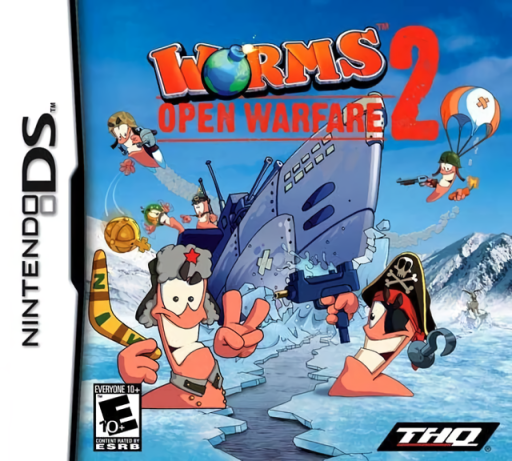
Worms - Open Warfare 2
Play Worms: Open Warfare 2 online. Lead a worm squad through turn-based battles, puzzle missions and DS touch experiments. Learn how to begin and use the Nintendo DS menus.
Browser play
Nintendo DS (NDS) — EmulatorJS controls
Default Player 1 keyboard mapping. Change keys in Controller Settings.
| Console button | Keyboard |
|---|---|
| ↑ / ↓ / ← / → | ↑ / ↓ / ← / → |
| A / B / X / Y | Z / X / A / S |
| L / R | Q / E |
| START / SELECT | Enter / V |
| Microphone | Not assigned |
Open Controller Settings to configure your keyboard or gamepad. Touch controls are available on mobile.
How to Play Worms: Open Warfare 2
Quick start
Begin an early Campaign mission and practise positioning, aiming and firing. Use a safe target to learn weapon power before attempting a tricky arc. Try Puzzle for a planned solution, then follow each Laboratory activity’s special instructions.
Controls
D-pad: move and change the aiming angle. A: fire. B: jump. Swipe upward with the stylus to open the weapon selection. In Laboratory, follow the specified blowing, touch-and-hold or path-drawing controls.
Worms: Open Warfare 2 — About this game
Worms: Open Warfare 2 combines destructible battlefields with a broader set of solo challenges. Campaign missions take the team through different battle settings, while Puzzle asks you to solve encounters with a single worm. Laboratory changes the pace with microphone-controlled parachutes, touch-powered launches and drawn routes. Team and map customization add ways to shape the game, and solo points buy equipment or cosmetic extras. Local multiplayer brings friends into the same explosive contest. Think about terrain changes as well as the immediate damage of each shot.
Worms: Open Warfare 2 Game manuals
Cheats
No cheats have been added for this edition.
Player verification and sources
Browser play was reviewed before this edition was published in the catalogue. The date below is the catalogue publication date, not the game’s original release date.
- Browser test and catalogue publication date
- Browsers and devices
- PC: Chrome, Edge and Firefox. Mobile: Chrome on Android and Safari on iPhone and iPad.
- Player engine and core
- EmulatorJS 4.3.0-pre · nds
- Tested by
- rwEmulator
Sources and editorial basis
rwEmulator reviews edition metadata, release information, game manuals and first-hand browser-play notes. Available manuals are linked below; the editorial policy explains how facts are checked and corrections are handled.