More browsing paths
Play Worms: Open Warfare (US edition · English) Online
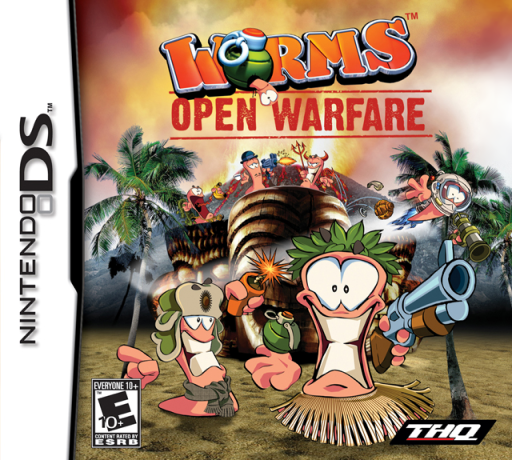
Worms - Open Warfare
Play Worms: Open Warfare online. Trade explosive turns between worm teams on destructible battlefields. Learn how to begin and use the Nintendo DS menus.
Browser play
Nintendo DS (NDS) — EmulatorJS controls
Default Player 1 keyboard mapping. Change keys in Controller Settings.
| Console button | Keyboard |
|---|---|
| ↑ / ↓ / ← / → | ↑ / ↓ / ← / → |
| A / B / X / Y | Z / X / A / S |
| L / R | Q / E |
| START / SELECT | Enter / V |
| Microphone | Not assigned |
Open Controller Settings to configure your keyboard or gamepad. Touch controls are available on mobile.
How to Play Worms: Open Warfare
Quick start
Start a Quick Game or an early challenge. Use the map to locate an exposed enemy, move to a safe firing position and select a bazooka or grenade. Adjust the angle before firing and watch how the blast changes the terrain.
Controls
D-pad left/right: move; up/down: aim. A: jump; double-tap for a backflip. B: fire or use the selected item. X: adjust timed-weapon fuses. Use the touch screen to select weapons and inspect or scroll the battlefield.
Worms: Open Warfare — About this game
Worms: Open Warfare returns the series to side-view, turn-based battles. Move the active worm into position, choose a weapon and judge the angle before attacking the opposing team. Explosions reshape the ground, so a useful perch can disappear and a shot can open a new route. Quick Games and increasingly difficult challenges provide solo practice. Local Download Play supports four players with one game card, making each turn a chance to surprise nearby opponents. Leave enough room to move safely rather than firing from the edge of the water.
Worms: Open Warfare Game manuals
Cheats
No cheats have been added for this edition.
Player verification and sources
Browser play was reviewed before this edition was published in the catalogue. The date below is the catalogue publication date, not the game’s original release date.
- Browser test and catalogue publication date
- Browsers and devices
- PC: Chrome, Edge and Firefox. Mobile: Chrome on Android and Safari on iPhone and iPad.
- Player engine and core
- EmulatorJS 4.3.0-pre · nds
- Tested by
- rwEmulator
Sources and editorial basis
rwEmulator reviews edition metadata, release information, game manuals and first-hand browser-play notes. Available manuals are linked below; the editorial policy explains how facts are checked and corrections are handled.