More browsing paths
Play Yakouchuu GB (Japan edition · Japanese) Online
Yakouchuu GB
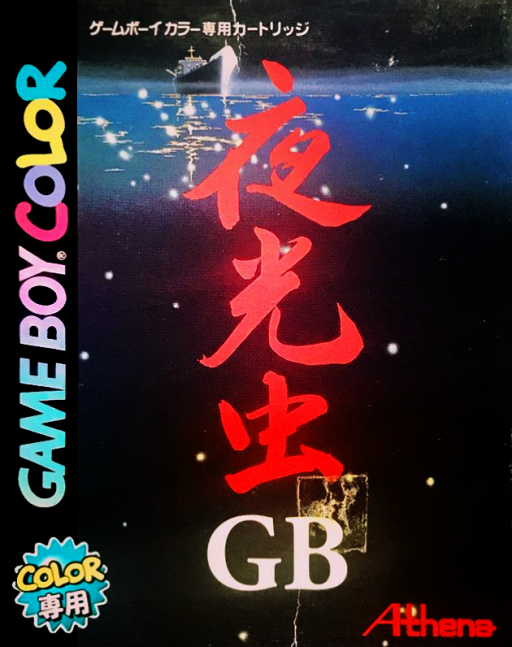
Play Yakouchuu GB online on Game Boy Color. Read a Japanese suspense story aboard a ship in Yakouchuu GB. Dialogue and choices carry the adventure forward, so follow who knows what and consider a response before advancing the next scene.
Browser play
Game Boy Color (GBC) — EmulatorJS controls
Default Player 1 keyboard mapping. Change keys in Controller Settings.
| Console button | Keyboard |
|---|---|
| ↑ / ↓ / ← / → | ↑ / ↓ / ← / → |
| A / B | Z / X |
| START / SELECT | Enter / V |
Open Controller Settings to configure your keyboard or gamepad. Touch controls are available on mobile.
How to Play Yakouchuu GB
Quick start
Choose a new story, read the introduction and advance at your own pace. At the first decision, read all available responses before confirming one.
Controls
Use the D-pad to highlight answers and menu entries, A to confirm or advance text, B to cancel or return where offered. Use the displayed save and story menus between decisions; read the highlighted answer before committing.
Yakouchuu GB — About this game
Start by reading the opening carefully and learning the cast. At a choice, review the current situation instead of selecting the first answer automatically. Keep track of what you have learned so later decisions connect to earlier scenes.
Yakouchuu GB Game manuals
Cheats
No cheats have been added for this edition.
Player verification and sources
Browser play was reviewed before this edition was published in the catalogue. The date below is the catalogue publication date, not the game’s original release date.
- Browser test and catalogue publication date
- Browsers and devices
- PC: Chrome, Edge and Firefox. Mobile: Chrome on Android and Safari on iPhone and iPad.
- Player engine and core
- EmulatorJS 4.3.0-pre · gb
- Tested by
- rwEmulator
Sources and editorial basis
rwEmulator reviews edition metadata, release information, game manuals and first-hand browser-play notes. Available manuals are linked below; the editorial policy explains how facts are checked and corrections are handled.