More browsing paths
Play Yoshi's Island: Super Mario Advance 3 (China edition · Simplified Chinese) Online
耀西岛
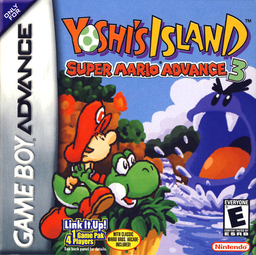
Play Yoshi's Island: Super Mario Advance 3 online on GBA, carrying Baby Mario through platform stages with flutter jumps, enemy-swallowing, egg throws and optional score collectibles.
Browser play
Game Boy Advance (GBA) — EmulatorJS controls
Default Player 1 keyboard mapping. Change keys in Controller Settings.
| Console button | Keyboard |
|---|---|
| ↑ / ↓ / ← / → | ↑ / ↓ / ← / → |
| A / B | Z / X |
| L / R | Q / E |
| START / SELECT | Enter / V |
Open Controller Settings to configure your keyboard or gamepad. Touch controls are available on mobile.
How to Play Yoshi's Island: Super Mario Advance 3
Quick start
Choose a save file, select one-player play and enter World 1-1. Keep Baby Mario on Yoshi's back, swallow enemies to make eggs and carry him to the goal ring; flowers, red coins and stars improve the stage score but are optional for simply clearing the first course.
Controls
D-Pad: move; Down: crouch, ground-pound in the air, or turn a swallowed enemy into an egg; Up: look or aim the tongue upward; A: jump, hold to flutter, and confirm menus; B: tongue, swallow, spit and cancel; R: begin egg aiming, then press again in Patient mode or release in Hasty mode to throw; L: lock the aiming cursor; Start: pause; Select: status display.
Yoshi's Island: Super Mario Advance 3 Game manuals
Cheats
No cheats have been added for this edition.
Player verification and sources
Browser play was reviewed before this edition was published in the catalogue. The date below is the catalogue publication date, not the game’s original release date.
- Browser test and catalogue publication date
- Browsers and devices
- PC: Chrome, Edge and Firefox. Mobile: Chrome on Android and Safari on iPhone and iPad.
- Player engine and core
- EmulatorJS 4.3.0-pre · gba
- Tested by
- rwEmulator
Sources and editorial basis
rwEmulator reviews edition metadata, release information, game manuals and first-hand browser-play notes. Available manuals are linked below; the editorial policy explains how facts are checked and corrections are handled.