More browsing paths
Play yoSumin. DS (Japan edition · Japanese) Online
yoSumin. DS
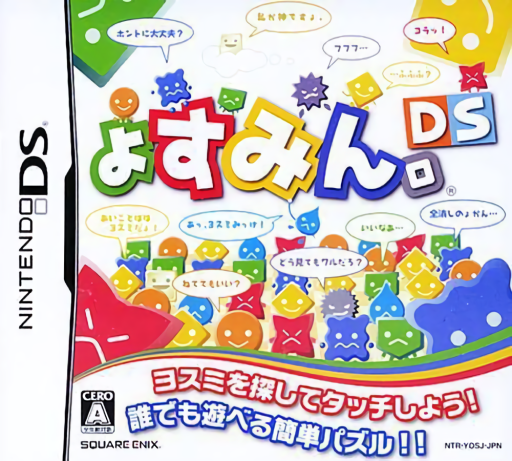
Play yoSumin. DS online. Find matching rectangle corners and clear colourful yoSumin.
Browser play
Nintendo DS (NDS) — EmulatorJS controls
Default Player 1 keyboard mapping. Change keys in Controller Settings.
| Console button | Keyboard |
|---|---|
| ↑ / ↓ / ← / → | ↑ / ↓ / ← / → |
| A / B / X / Y | Z / X / A / S |
| L / R | Q / E |
| START / SELECT | Enter / V |
| Microphone | Not assigned |
Open Controller Settings to configure your keyboard or gamepad. Touch controls are available on mobile.
How to Play yoSumin. DS
Quick start
Find four matching corners in a rectangle, touch them to clear and scan the new board.
Controls
Use the DS stylus to select matching rectangle corners; choose modes through the touch menus.
yoSumin. DS — About this game
Scan the board for four corners of the same colour that form a rectangle. Select those corners to clear the enclosed area, then inspect the changed layout for another opportunity. The challenge is spotting useful shapes across the board rather than swapping adjacent pieces. Follow the current mode objective, compare a small rectangle with a larger opening and build a sequence of clears. The DS edition also includes a versus mode.
yoSumin. DS Game manuals
Cheats
No cheats have been added for this edition.
Player verification and sources
Browser play was reviewed before this edition was published in the catalogue. The date below is the catalogue publication date, not the game’s original release date.
- Browser test and catalogue publication date
- Browsers and devices
- PC: Chrome, Edge and Firefox. Mobile: Chrome on Android and Safari on iPhone and iPad.
- Player engine and core
- EmulatorJS 4.3.0-pre · nds
- Tested by
- rwEmulator
Sources and editorial basis
rwEmulator reviews edition metadata, release information, game manuals and first-hand browser-play notes. Available manuals are linked below; the editorial policy explains how facts are checked and corrections are handled.