More browsing paths
Play Yume Neko DS (Japan edition · Japanese) Online
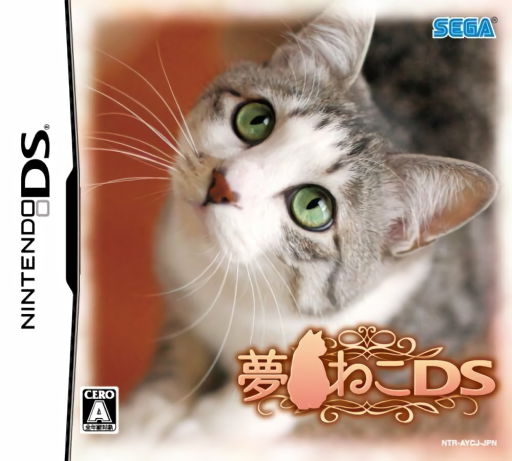
Yume Neko DS
Play Yume Neko DS online. Care for a virtual cat through food, play and rest.
Browser play
Nintendo DS (NDS) — EmulatorJS controls
Default Player 1 keyboard mapping. Change keys in Controller Settings.
| Console button | Keyboard |
|---|---|
| ↑ / ↓ / ← / → | ↑ / ↓ / ← / → |
| A / B / X / Y | Z / X / A / S |
| L / R | Q / E |
| START / SELECT | Enter / V |
| Microphone | Not assigned |
Open Controller Settings to configure your keyboard or gamepad. Touch controls are available on mobile.
How to Play Yume Neko DS
Quick start
Open the care menu, choose food or a toy, then check the cat and allow rest.
Controls
Use the DS stylus for care menus and items; X switches the upper-screen status display.
Yume Neko DS — About this game
Your cat shares a room with you and responds to everyday care. Choose food and drink, play with a ball or teaser and let the cat sleep to recover stamina. Accessories change its appearance while room items shape the setting. Check its condition before selecting another activity, alternating attention and rest rather than repeatedly using the same toy. The DS menus keep care, information and outings together.
Yume Neko DS Game manuals
Cheats
No cheats have been added for this edition.
Player verification and sources
Browser play was reviewed before this edition was published in the catalogue. The date below is the catalogue publication date, not the game’s original release date.
- Browser test and catalogue publication date
- Browsers and devices
- PC: Chrome, Edge and Firefox. Mobile: Chrome on Android and Safari on iPhone and iPad.
- Player engine and core
- EmulatorJS 4.3.0-pre · nds
- Tested by
- rwEmulator
Sources and editorial basis
rwEmulator reviews edition metadata, release information, game manuals and first-hand browser-play notes. Available manuals are linked below; the editorial policy explains how facts are checked and corrections are handled.