More browsing paths
Play Zebco Fishing (Rumble Version · US edition · English) Online
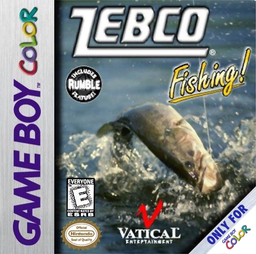
Zebco Fishing!
Play Zebco Fishing online on GBC. Zebco Fishing
Browser play
Game Boy Color (GBC) — EmulatorJS controls
Default Player 1 keyboard mapping. Change keys in Controller Settings.
| Console button | Keyboard |
|---|---|
| ↑ / ↓ / ← / → | ↑ / ↓ / ← / → |
| A / B | Z / X |
| START / SELECT | Enter / V |
Open Controller Settings to configure your keyboard or gamepad. Touch controls are available on mobile.
How to Play Zebco Fishing
Quick start
Choose a mode and lake, inspect the conditions and select a lure. Move the boat, place a cast and reel gradually. Press B on a bite, then alternate reeling and releasing line as tension demands.
Controls
D-pad moves the boat or casting target. A switches to casting, casts and reels in fishing or hooked states. B returns from casting, sets the hook on a bite, or releases line when hooked. START opens options.
Zebco Fishing — About this game
Move the boat to promising water and change to casting mode. After the lure lands, reeling changes its movement and depth. A bite is the cue to set the hook; once the fish fights, watch tension and let line out before it breaks. Losing a lure reduces your remaining options, making a patient landing more useful than holding the reel button continuously.
Zebco Fishing Game manuals
Cheats
No cheats have been added for this edition.
Player verification and sources
Browser play was reviewed before this edition was published in the catalogue. The date below is the catalogue publication date, not the game’s original release date.
- Browser test and catalogue publication date
- Browsers and devices
- PC: Chrome, Edge and Firefox. Mobile: Chrome on Android and Safari on iPhone and iPad.
- Player engine and core
- EmulatorJS 4.3.0-pre · gb
- Tested by
- rwEmulator
Sources and editorial basis
rwEmulator reviews edition metadata, release information, game manuals and first-hand browser-play notes. Available manuals are linked below; the editorial policy explains how facts are checked and corrections are handled.