More browsing paths
Play Zettai Zetsumei Dangerous Jiisan 3: Hateshinaki Mamonogatari (Japan edition · Japanese) Online
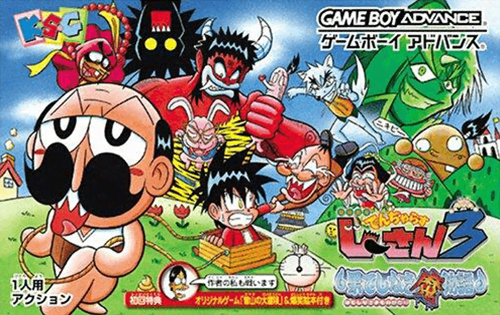
Zettai Zetsumei Dangerous Jiisan 3: Hateshinaki Mamonogatari
It's a 2D action game where you play GBA's ``Denjaras Jisan 3: Endless Demon Story'' online, instantly switching between 4 players and advancing with unique attacks, sledding, and assistance techniques.
Browser play
Game Boy Advance (GBA) — EmulatorJS controls
Default Player 1 keyboard mapping. Change keys in Controller Settings.
| Console button | Keyboard |
|---|---|
| ↑ / ↓ / ← / → | ↑ / ↓ / ← / → |
| A / B | Z / X |
| L / R | Q / E |
| START / SELECT | Enter / V |
Open Controller Settings to configure your keyboard or gamepad. Touch controls are available on mobile.
How to Play Zettai Zetsumei Dangerous Jiisan 3: Hateshinaki Mamonogatari
Quick start
From the beginning, you enter the world of fairy tales, and at the beginning, you will meet the four characters: Ji-san, Mago, the principal, and Gebe. For the first stage, prioritize reaching the exit, and change characters using L + D-pad depending on the obstacles. When you find a star, collect it and open a hidden stage with 30 stars per world.
Controls
D-pad: Move. A: Jump. B: Attack. L + Cross key: Switch between 4 playable characters. R: Current character's sled action. Down + B: Help action of a friend made sub in the menu. START: Pause/Menu.
Cheats
No cheats have been added for this edition.
Player verification and sources
Browser play was reviewed before this edition was published in the catalogue. The date below is the catalogue publication date, not the game’s original release date.
- Browser test and catalogue publication date
- Browsers and devices
- PC: Chrome, Edge and Firefox. Mobile: Chrome on Android and Safari on iPhone and iPad.
- Player engine and core
- EmulatorJS 4.3.0-pre · gba
- Tested by
- rwEmulator
Sources and editorial basis
rwEmulator reviews edition metadata, release information, game manuals and first-hand browser-play notes. Available manuals are linked below; the editorial policy explains how facts are checked and corrections are handled.