More browsing paths
Play Zombie Hunter (Japan edition · Japanese) Online
Zombie Hunter
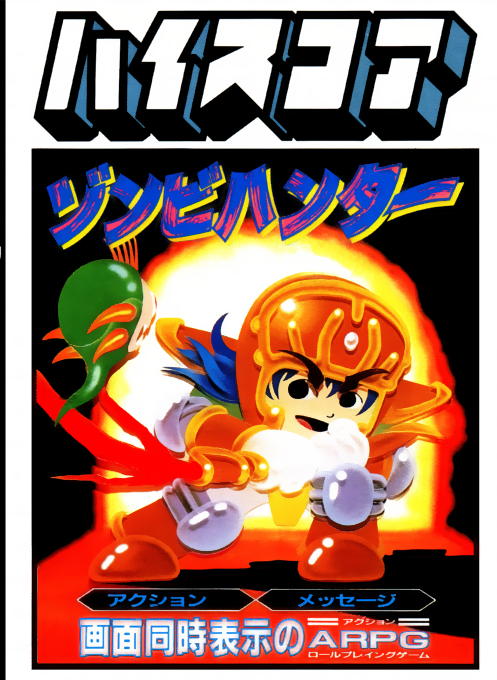
Play FC "Zombie Hunter" online. Guide Zevi through the underground labyrinth, collect equipment and experience from enemies, and pursue Demon Lord Dolgo and Lifeseeker.
Browser play
Nintendo Entertainment System (NES) / Famicom — EmulatorJS controls
Default Player 1 keyboard mapping. Change keys in Controller Settings.
| Console button | Keyboard |
|---|---|
| ↑ / ↓ / ← / → | ↑ / ↓ / ← / → |
| A / B | Z / X |
| START / SELECT | Enter / V |
Open Controller Settings to configure your keyboard or gamepad. Touch controls are available on mobile.
How to Play Zombie Hunter
Quick start
Start the game with START, move with the left and right cross keys, jump with A, and attack with B. Touch to retrieve the treasure chests dropped by defeated enemies, pause with START, select items with left and right, and use/equip with A. If you change to stronger equipment, you will lose the old equipment, so please decide whether to sell it at the store first. The store is at the left end of the starting point of each area, and you can enter it by holding up and pressing B. Earn experience points, raise your level, and proceed while checking your health and enemy status at the bottom of the screen.
Controls
During action: move with the left and right arrow keys, crouch with the bottom. Jump with the A button. Attack with the equipped weapon by pressing the B button. Pause with START and go to the item screen. During pause: Select item with left and right arrow keys, use/equip with A, cancel with B. At the left end of the starting point of each area, press up + B on the cross key to enter the store. SELECT cycles through equipped weapons.
Zombie Hunter — About this game
Zombie Hunter is an action RPG that combines side-scrolling combat with level and equipment management. The hero Zebi challenges Dolgo to the underground labyrinth in pursuit of Dolgo, who stole the sacred Balance Lifeseeker from the country of Parma, which is protected by the four gods of wind, water, fire, and earth. When you defeat an enemy, experience points, weapons, armor, magic, and recovery items appear, and you can choose what you need and advance while improving your abilities. The status of Zevi and the enemy is displayed in real time at the bottom of the screen, and you can pause with START and select your belongings. At the starting point of each area, move to the far left and press Up and B to enter the store and sell unnecessary items to improve your equipment. Proceed through all 6 stages and aim to defeat Dolgo at the bottom.
Cheats
No cheats have been added for this edition.
Player verification and sources
Browser play was reviewed before this edition was published in the catalogue. The date below is the catalogue publication date, not the game’s original release date.
- Browser test and catalogue publication date
- Browsers and devices
- PC: Chrome, Edge and Firefox. Mobile: Chrome on Android and Safari on iPhone and iPad.
- Player engine and core
- EmulatorJS 4.3.0-pre · nes
- Tested by
- rwEmulator
Sources and editorial basis
rwEmulator reviews edition metadata, release information, game manuals and first-hand browser-play notes. Available manuals are linked below; the editorial policy explains how facts are checked and corrections are handled.