다른 탐색 경로
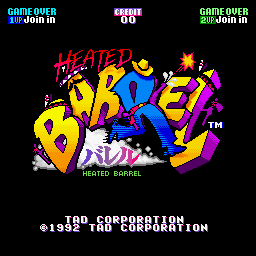
Heated Barrel (World version 3)(세계판 · 리비전 3 · 영어) 브라우저 플레이
Heated Barrel (World version 3)
온라인에서 Heated Barrel (World version 3) 플레이하기. Fight with four distinct Western weapons, add a second attack and use barrels for nearby damage and brief protection.
브라우저 플레이
아케이드 — EmulatorJS 키 매핑
플레이어 1의 기본 키보드 매핑입니다. 컨트롤러 설정에서 키를 변경할 수 있습니다.
| 콘솔 버튼 | 키보드 |
|---|---|
| ↑ / ↓ / ← / → | ↑ / ↓ / ← / → |
| RetroPad A / B / X / Y | Z / X / A / S |
| L / R | Q / E |
| 동전 넣기 | V |
| START | Enter |
컨트롤러 설정에서 키보드나 게임패드를 설정할 수 있습니다. 모바일에서는 터치 조작을 사용할 수 있습니다.
Heated Barrel (World version 3) 플레이 방법
빠른 시작
- Choose a character and learn the weapon’s coverage.
- Collect a double star to add a second weapon.
- Keep a clear route through the next crowd.
- Use a barrel when enemies surround the character.
조작 방법
八方向控制移动;A射击,B使用爆弹。双星道具提升火力,S提升移动速度,1UP增加生命,炸药桶补充或触发爆弹效果;单星道具会使火力降级。
Heated Barrel (World version 3) — 게임 소개
Heated Barrel (World version 3) takes four differently armed Western characters through towns, deserts and rivers against outlaws and stranger enemies. A double-star pickup equips a second weapon alongside the first, while the barrel item damages nearby enemies and briefly protects the character. The weapons therefore change more than appearance: the shotgun, revolvers, thrown axes and boomerangs offer different firing coverage during the shared route. Learn the chosen attack’s reach before moving into a crowd, then use the barrel when several enemies close together rather than expecting the ordinary weapon to clear every side at once.
치트
무한 생명 PL1
1 "开启", 0, 0x10BA9C, 0x04무한 폭탄 PL1
1 "开启", 0, 0x10BA9D, 0x09무한 생명 PL2
1 "开启", 0, 0x10BB7C, 0x04무한 폭탄 PL2
1 "开启", 0, 0x10BB7D, 0x09플레이어 확인 및 출처
브라우저 플레이는 이 버전을 카탈로그에 공개하기 전에 확인했습니다. 아래 날짜는 카탈로그 공개일이며 게임의 원래 출시일이 아닙니다.
- 브라우저 테스트 및 카탈로그 공개일
- 브라우저 및 기기
- PC: Chrome, Edge, Firefox. 모바일: Android Chrome, iPhone 및 iPad Safari.
- 플레이어 엔진 및 코어
- EmulatorJS 4.3.0-pre · arcade
- 테스트 담당
- rwEmulator
출처 및 편집 근거
rwEmulator는 버전 메타데이터, 출시 정보, 설명서와 브라우저 테스트 기록을 검토합니다. 이용 가능한 설명서는 아래에 연결하며 사실 확인과 정정 절차는 편집 정책에서 설명합니다.