다른 탐색 경로
리그 볼링 (NGM-019 ~ NGH-019)(영어) 브라우저 플레이
League Bowling (NGM-019 ~ NGH-019)
온라인에서 리그 볼링 (NGM-019 ~ NGH-019) 플레이하기. Set position, spin and power, then bowl under Regulation, Flash or Strike 90 scoring.
브라우저 플레이
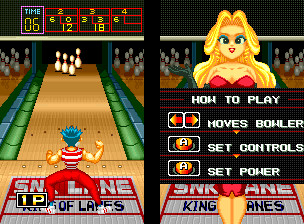
아케이드 — EmulatorJS 키 매핑
플레이어 1의 기본 키보드 매핑입니다. 컨트롤러 설정에서 키를 변경할 수 있습니다.
| 콘솔 버튼 | 키보드 |
|---|---|
| ↑ / ↓ / ← / → | ↑ / ↓ / ← / → |
| RetroPad A / B / X / Y | Z / X / A / S |
| L / R | Q / E |
| 동전 넣기 | V |
| START | Enter |
컨트롤러 설정에서 키보드나 게임패드를 설정할 수 있습니다. 모바일에서는 터치 조작을 사용할 수 있습니다.
리그 볼링 (NGM-019 ~ NGH-019) 플레이 방법
빠른 시작
- Choose the scoring mode, throwing arm and ball.
- Set an initial position and a measured spin.
- Choose throwing power and observe the result.
- Adjust one setting before attempting the spare.
조작 방법
選択時は上下でボール、左右で利き腕を選びます。投球時は左右で立つ位置を変え、Aで球の曲がり方、続くAで速さを決定します。残り時間がなくなると自動で決まるため、表示を見て早めに入力します。
리그 볼링 (NGM-019 ~ NGH-019) — 게임 소개
리그 볼링 (NGM-019 ~ NGH-019) shapes each roll through the bowler’s arm, ball choice, position, spin and throwing power. Regulation follows familiar bowling scoring, while the other modes change what a strike or spare is worth. Flash ties the bonus to a changing value at the moment of the roll, and Strike 90 gives fixed high values without the usual carry-over calculation. Learn a repeatable opening shot before chasing a flashing reward, then keep the selected scoring mode in mind when judging whether a difficult spare is the best next target.
리그 볼링 (NGM-019 ~ NGH-019) 게임 설명서
치트
무한 시간 PL1
1 "开启", 0, 0x1010A5, 0x99무한 시간 PL2
1 "开启", 0, 0x1011A5, 0x99무한 시간 PL3
1 "开启", 0, 0x1012A5, 0x99무한 시간 PL4
1 "开启", 0, 0x1013A5, 0x99카트리지/ NeoGeo 유형 선택
1 "街机 (MVS)", 0, 0x10FD82, 0x80
2 "家机 (NEOGEO)", 0, 0x10FD82, 0x00플레이어 확인 및 출처
브라우저 플레이는 이 버전을 카탈로그에 공개하기 전에 확인했습니다. 아래 날짜는 카탈로그 공개일이며 게임의 원래 출시일이 아닙니다.
- 브라우저 테스트 및 카탈로그 공개일
- 브라우저 및 기기
- PC: Chrome, Edge, Firefox. 모바일: Android Chrome, iPhone 및 iPad Safari.
- 플레이어 엔진 및 코어
- EmulatorJS 4.3.0-pre · arcade
- 테스트 담당
- rwEmulator
출처 및 편집 근거
rwEmulator는 버전 메타데이터, 출시 정보, 설명서와 브라우저 테스트 기록을 검토합니다. 이용 가능한 설명서는 아래에 연결하며 사실 확인과 정정 절차는 편집 정책에서 설명합니다.