More browsing paths
Play Aero the Acro-Bat: Rascal Rival Revenge (Europe edition) Online
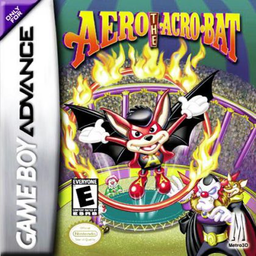
Aero the Acro-Bat: Rascal Rival Revenge
Play Aero the Acro-Bat: Rascal Rival Revenge online and tackle circus platform stages using air drills, throwing stars, wire moves and collectible goals.
Browser play
Game Boy Advance (GBA) — EmulatorJS controls
Default Player 1 keyboard mapping. Change keys in Controller Settings.
| Console button | Keyboard |
|---|---|
| ↑ / ↓ / ← / → | ↑ / ↓ / ← / → |
| A / B | Z / X |
| L / R | Q / E |
| START / SELECT | Enter / V |
Open Controller Settings to configure your keyboard or gamepad. Touch controls are available on mobile.
How to Play Aero the Acro-Bat: Rascal Rival Revenge
Quick start
Select New Game, pick one of the three save slots and name the file. The first act requires every item shown by the counter before the exit hoop works, so explore the whole stage. Learn the directional air drill early and keep Aero’s single hover available to rescue a difficult landing.
Controls
D-Pad: run, crouch/defend and climb; A: jump, then press A again with a direction to drill; B: throw a collected star; R on a high wire: hang/recover; R in the air: hover once until landing; hold R + D-Pad: look around; START: pause. Menus use D-Pad and A, with B to return.
Aero the Acro-Bat: Rascal Rival Revenge Game manuals
Cheats
No cheats have been added for this edition.
Player verification and sources
Browser play was reviewed before this edition was published in the catalogue. The date below is the catalogue publication date, not the game’s original release date.
- Browser test and catalogue publication date
- Browsers and devices
- PC: Chrome, Edge and Firefox. Mobile: Chrome on Android and Safari on iPhone and iPad.
- Player engine and core
- EmulatorJS 4.3.0-pre · gba
- Tested by
- rwEmulator
Sources and editorial basis
rwEmulator reviews edition metadata, release information, game manuals and first-hand browser-play notes. Available manuals are linked below; the editorial policy explains how facts are checked and corrections are handled.