More browsing paths
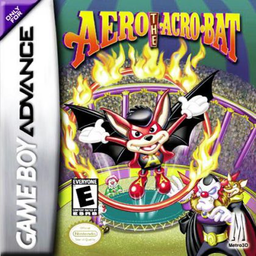
Play Aero the Acro-Bat: Rascal Rival Revenge (Japan edition) Online
Acrobat Kid
Play Acrobat Kid Adventure online. It's a GBA action game where you use drill jumps, stars, and wire moves to accomplish goals in a circus-style stage.
Browser play
Game Boy Advance (GBA) — EmulatorJS controls
Default Player 1 keyboard mapping. Change keys in Controller Settings.
| Console button | Keyboard |
|---|---|
| ↑ / ↓ / ← / → | ↑ / ↓ / ← / → |
| A / B | Z / X |
| L / R | Q / E |
| START / SELECT | Enter / V |
Open Controller Settings to configure your keyboard or gamepad. Touch controls are available on mobile.
How to Play Aero the Acro-Bat: Rascal Rival Revenge
Quick start
Press START, select "NEW GAME", select one of the three save frames and enter a name. In the first stage, collect all the essential items displayed on the counter and look for the Warp Ring. Practice your aerial drills in a safe location, and save the hover until you want to correct your landing.
Controls
Cross button: Run/Crouch/Defend/Ladder, A: Jump (Press Direction + A again in the air to drill), B: Throw the obtained star, R on the wire: Hanging/Return, R in the air: Hover once until landing, R + Cross button long press: Look around, START: Pause.
Aero the Acro-Bat: Rascal Rival Revenge Game manuals
Cheats
No cheats have been added for this edition.
Player verification and sources
Browser play was reviewed before this edition was published in the catalogue. The date below is the catalogue publication date, not the game’s original release date.
- Browser test and catalogue publication date
- Browsers and devices
- PC: Chrome, Edge and Firefox. Mobile: Chrome on Android and Safari on iPhone and iPad.
- Player engine and core
- EmulatorJS 4.3.0-pre · gba
- Tested by
- rwEmulator
Sources and editorial basis
rwEmulator reviews edition metadata, release information, game manuals and first-hand browser-play notes. Available manuals are linked below; the editorial policy explains how facts are checked and corrections are handled.