More browsing paths
Play ヘッドオン N (English) Online
Head On N
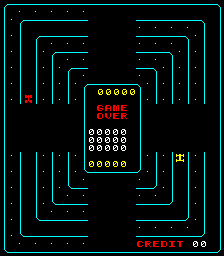
Collect the dots while avoiding the enemy car.
Browser play
Arcade — EmulatorJS controls
Default Player 1 keyboard mapping. Change keys in Controller Settings.
| Console button | Keyboard |
|---|---|
| ↑ / ↓ / ← / → | ↑ / ↓ / ← / → |
| RetroPad A / B / X / Y | Z / X / A / S |
| L / R | Q / E |
| Insert coin | V |
| START | Enter |
Open Controller Settings to configure your keyboard or gamepad. Touch controls are available on mobile.
How to Play ヘッドオン N
Quick start
- Check the travel directions of your car and the red car.
- Begin at low speed and use the lane-change zones at the top, bottom, left and right to enter an adjacent lane.
- Try accelerating where there is enough distance from the red car.
- Check which lanes still contain dots and collect them all without colliding.
Controls
The car keeps driving automatically. In the top and bottom lane-change zones, use Up/Down; in the left and right zones, use Left/Right. Hold the accelerator for high speed and release it for low speed. At high speed you can cross fewer lanes at once, so slowing before a lane change can help.
ヘッドオン N — About this game
Drive along five lanes, changing lanes at the gaps to collect every dot. Use the accelerator button to increase speed.
ヘッドオン N Game manuals
Cheats
No cheats have been added for this edition.
Player verification and sources
Browser play was reviewed before this edition was published in the catalogue. The date below is the catalogue publication date, not the game’s original release date.
- Browser test and catalogue publication date
- Browsers and devices
- PC: Chrome, Edge and Firefox. Mobile: Chrome on Android and Safari on iPhone and iPad.
- Player engine and core
- EmulatorJS 4.3.0-pre · arcade
- Tested by
- rwEmulator
Sources and editorial basis
rwEmulator reviews edition metadata, release information, game manuals and first-hand browser-play notes. Available manuals are linked below; the editorial policy explains how facts are checked and corrections are handled.