More browsing paths
Play ウィズ (English) Online
Wiz
Use magic to open a path through the surface, underground and sky while watching the hourglass.
Browser play
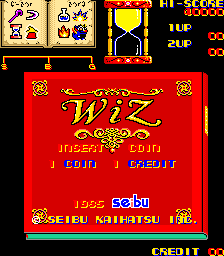
Arcade — EmulatorJS controls
Default Player 1 keyboard mapping. Change keys in Controller Settings.
| Console button | Keyboard |
|---|---|
| ↑ / ↓ / ← / → | ↑ / ↓ / ← / → |
| RetroPad A / B / X / Y | Z / X / A / S |
| L / R | Q / E |
| Insert coin | V |
| START | Enter |
Open Controller Settings to configure your keyboard or gamepad. Touch controls are available on mobile.
How to Play ウィズ
Quick start
- Try movement, jumping and shooting.
- Move right while checking platforms and enemies.
- After collecting magic, use the selection control to check your options.
- Reach checkpoints or exits before the hourglass runs out, using magic in difficult areas.
Controls
Use the eight-way joystick for movement and jumping. Two buttons control shooting and magic selection. Jumping uses the joystick. Check your available spells and select one before enemies surround you.
ウィズ — About this game
Wiz crosses three layers of a side-scrolling world: underground, ground and sky. Jump between platforms and attack monsters, taking care around holes that can send you to a lower layer. The hourglass costs a life when it runs out, so keep moving rather than spending too long avoiding enemies. Collected magic can stop enemies, protect you or increase speed. Choose where to use it by checking your available spells and the next platforms. Learn the route to checkpoints and new layers as you advance toward the dragon beyond the sky.
Cheats
No cheats have been added for this edition.
Player verification and sources
Browser play was reviewed before this edition was published in the catalogue. The date below is the catalogue publication date, not the game’s original release date.
- Browser test and catalogue publication date
- Browsers and devices
- PC: Chrome, Edge and Firefox. Mobile: Chrome on Android and Safari on iPhone and iPad.
- Player engine and core
- EmulatorJS 4.3.0-pre · arcade
- Tested by
- rwEmulator
Sources and editorial basis
rwEmulator reviews edition metadata, release information, game manuals and first-hand browser-play notes. Available manuals are linked below; the editorial policy explains how facts are checked and corrections are handled.