More browsing paths
Play Final Fantasy V Advance (Japan edition) Online
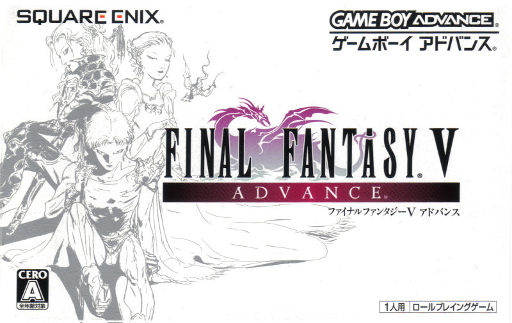
Final Fantasy V Advance
Play Final Fantasy V Advance online. Protect Bats and the crystal, and conquer a variety of jobs and abilities, GBA additional jobs, and dungeons.
Browser play
Game Boy Advance (GBA) — EmulatorJS controls
Default Player 1 keyboard mapping. Change keys in Controller Settings.
| Console button | Keyboard |
|---|---|
| ↑ / ↓ / ← / → | ↑ / ↓ / ← / → |
| A / B | Z / X |
| L / R | Q / E |
| START / SELECT | Enter / V |
Open Controller Settings to configure your keyboard or gamepad. Touch controls are available on mobile.
How to Play Final Fantasy V Advance
Quick start
Select "NEW GAME" and head to the fallen meteorite with Butts and Boco. Help Lena and Galuf investigate the meteorite trail, then proceed through the cave to the pirate hideout, the Temple of the Wind. In the early stages, you will focus on normal attacks and recovery items, and after you unlock a job, you will learn a few abilities and then change jobs, allowing you to carry over useful commands.
Controls
Cross button: Walk/Cursor. A: Decision making, conversation, investigation, vehicle operation. B: Cancel, press and hold while moving to dash. START: Main menu. SELECT: Unused for regular fields. L/R: Menu, monster encyclopedia page, character switching. During battle, press A, Cancel B, and press and hold L+R to escape.
Final Fantasy V Advance Game manuals
Cheats
No cheats have been added for this edition.
Player verification and sources
Browser play was reviewed before this edition was published in the catalogue. The date below is the catalogue publication date, not the game’s original release date.
- Browser test and catalogue publication date
- Browsers and devices
- PC: Chrome, Edge and Firefox. Mobile: Chrome on Android and Safari on iPhone and iPad.
- Player engine and core
- EmulatorJS 4.3.0-pre · gba
- Tested by
- rwEmulator
Sources and editorial basis
rwEmulator reviews edition metadata, release information, game manuals and first-hand browser-play notes. Available manuals are linked below; the editorial policy explains how facts are checked and corrections are handled.