More browsing paths
Play New Horizons (Translation · Simplified Chinese) Online
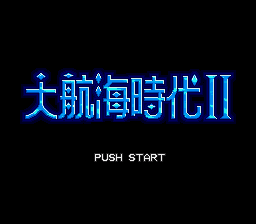
大航海时代2
Online play New Horizons, choosing the main players from among the six navigators, trading, world exploration and naval warfare, while managing crews, fleets and supplies.
Browser play
Sega Genesis / Mega Drive — EmulatorJS controls
Default Player 1 keyboard mapping. Change keys in Controller Settings.
| Console button | Keyboard |
|---|---|
| ↑ / ↓ / ← / → | ↑ / ↓ / ← / → |
| A / B / C | S / X / Z |
| X / Y / Z | Q / A / E |
| START / MODE | Enter / V |
Open Controller Settings to configure your keyboard or gamepad. Touch controls are available on mobile.
How to Play New Horizons
Quick start
Select one of the six protagonists, read the opening dialogue carefully and finish the first goal of the role. Before leaving port, hire crews and distribute their cabins to food, water, timber, artillery and tradables; sequence them with short-range routes off the coast of Europe.
Controls
The key is used for the movement of towns, sea rudder and operations menu. C key identifies the project, talks and opens the maritime command; B key cancels and flips the command page. A key shows names, money and port information; A is used to match the fleet data with the right-readable sea and supplies, and up and down to switch the relevant information. START opens options and shows maps inside the building.
New Horizons Game manuals
Cheats
No cheats have been added for this edition.
Player verification and sources
Browser play was reviewed before this edition was published in the catalogue. The date below is the catalogue publication date, not the game’s original release date.
- Browser test and catalogue publication date
- Browsers and devices
- PC: Chrome, Edge and Firefox. Mobile: Chrome on Android and Safari on iPhone and iPad.
- Player engine and core
- EmulatorJS 4.3.0-pre · segaMD
- Tested by
- rwEmulator
Sources and editorial basis
rwEmulator reviews edition metadata, release information, game manuals and first-hand browser-play notes. Available manuals are linked below; the editorial policy explains how facts are checked and corrections are handled.