More browsing paths
Play Gradius Galaxies (Japan edition · Japanese) Online
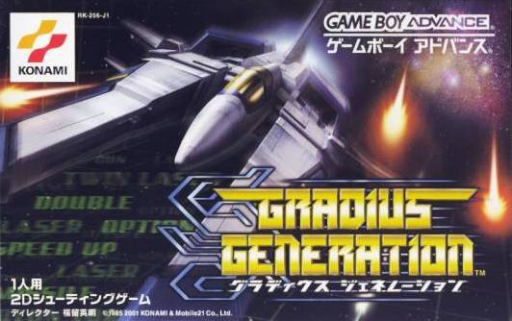
Gradius Generation
You can play "Gradius Galaxies" online. You can check the starting settings of the GBA version, actual operations, and how to use the capsule and power meter.
Browser play
Game Boy Advance (GBA) — EmulatorJS controls
Default Player 1 keyboard mapping. Change keys in Controller Settings.
| Console button | Keyboard |
|---|---|
| ↑ / ↓ / ← / → | ↑ / ↓ / ← / → |
| A / B | Z / X |
| L / R | Q / E |
| START / SELECT | Enter / V |
Open Controller Settings to configure your keyboard or gamepad. Touch controls are available on mobile.
How to Play Gradius Galaxies
Quick start
Press START on the title, select START mode, select power meter, Shield or Force Field, semi-auto/manual enhancement, and proceed to OK. In stage 1, defeat enemy formations, collect red capsules, and strengthen them with A only when the required item lights up. In the early stages, it will be stable if you use Speed Up one step and prioritize weapons or defense. Blue capsules erase enemies and bullets on the screen, so collect them when the barrage is dense.
Controls
Use the cross button to move Big Viper up, down, left and right. B is for shots and missiles/cancellation, A is for power-up/decision while lit, and START is for pause. In the initial settings, L, R, and SELECT are not used, but you can change the assignment of SHOT, MISSILE, POWER UP, and RAPID in Options. Soft reset with A+B+L+R+START.
Gradius Galaxies Game manuals
Cheats
No cheats have been added for this edition.
Player verification and sources
Browser play was reviewed before this edition was published in the catalogue. The date below is the catalogue publication date, not the game’s original release date.
- Browser test and catalogue publication date
- Browsers and devices
- PC: Chrome, Edge and Firefox. Mobile: Chrome on Android and Safari on iPhone and iPad.
- Player engine and core
- EmulatorJS 4.3.0-pre · gba
- Tested by
- rwEmulator
Sources and editorial basis
rwEmulator reviews edition metadata, release information, game manuals and first-hand browser-play notes. Available manuals are linked below; the editorial policy explains how facts are checked and corrections are handled.