More browsing paths
Play Hayauchi Super Igo (Japan edition · Japanese) Online
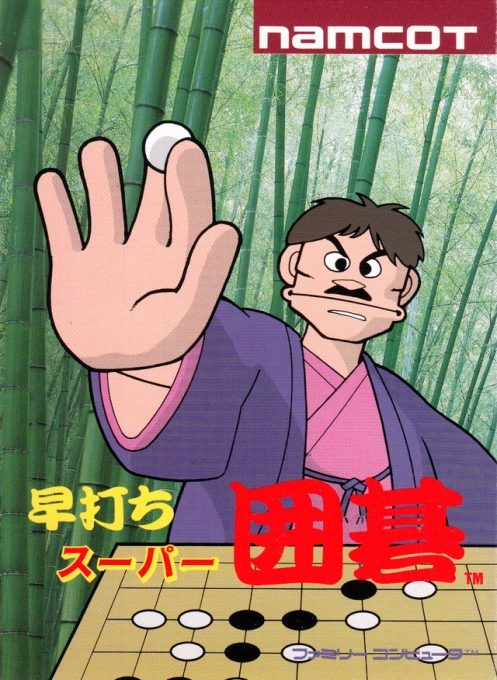
早打ちスーパー囲碁
Play Hayauchi Super Igo online, pursue Honinbo and ranking campaigns or configure 13×13 and 19×19 Go matches in the Famicom dojo.
Browser play
Nintendo Entertainment System (NES) / Famicom — EmulatorJS controls
Default Player 1 keyboard mapping. Change keys in Controller Settings.
| Console button | Keyboard |
|---|---|
| ↑ / ↓ / ← / → | ↑ / ↓ / ← / → |
| A / B | Z / X |
| START / SELECT | Enter / V |
Open Controller Settings to configure your keyboard or gamepad. Touch controls are available on mobile.
How to Play Hayauchi Super Igo
Quick start
If the Japanese menus are new to you, choose the third title option, Match Dojo. Open its setup with Select, choose a 13×13 board and a computer opponent, set color and handicap, then press Start. Move the cursor with the D-pad and press A on an empty legal intersection. In Dojo only, B requests an undo if you misplace a stone. When you need a non-board action, keep moving right past the board edge to reach the command panel; select pass or resignation with A. At the natural end, mark dead groups carefully before accepting the count. For Honinbo or Ranking play, copy the password shown between matches because the cartridge has no save memory.
Controls
D-pad: move the board cursor and choose commands; continue pressing Right beyond the board's right edge to enter the command panel. A: place a stone or confirm. B: undo the previous move in Match Dojo only. Select: open Match Dojo settings. Start: begin the configured match; it does not pause an active game. At scoring, use the D-pad to identify dead stones and A to confirm them.
Hayauchi Super Igo — About this game
Hayauchi Super Igo is Home Data and Namco's 1989 Japanese Famicom Go simulation. Honinbo Battle begins at first dan and builds toward the title, while Ranking Game moves the player up or down according to results; both campaign modes provide passwords for continuation. Match Dojo can set a 13×13 or 19×19 board, one or two players, first move, and handicap stones. During a game, moving the cursor beyond the board's right edge reaches commands such as pass and resign. After play ends, the program asks the player to identify dead stones before territory is counted, and it will accept incorrect marks, so scoring depends on honest Go judgment. The game has no pause function despite using Start to begin a match.
Cheats
No cheats have been added for this edition.
Player verification and sources
Browser play was reviewed before this edition was published in the catalogue. The date below is the catalogue publication date, not the game’s original release date.
- Browser test and catalogue publication date
- Browsers and devices
- PC: Chrome, Edge and Firefox. Mobile: Chrome on Android and Safari on iPhone and iPad.
- Player engine and core
- EmulatorJS 4.3.0-pre · nes
- Tested by
- rwEmulator
Sources and editorial basis
rwEmulator reviews edition metadata, release information, game manuals and first-hand browser-play notes. Available manuals are linked below; the editorial policy explains how facts are checked and corrections are handled.