More browsing paths
Play Mario Golf: Advance Tour (Japan edition · Japanese) Online
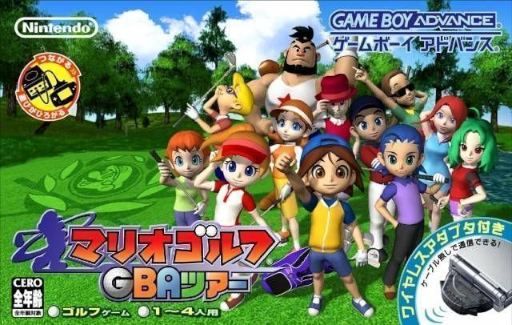
Mario Golf: GBA Tour
Play the GBA golf RPG online to win tournaments while learning training, club selection, shot timing and spin.
Browser play
Game Boy Advance (GBA) — EmulatorJS controls
Default Player 1 keyboard mapping. Change keys in Controller Settings.
| Console button | Keyboard |
|---|---|
| ↑ / ↓ / ← / → | ↑ / ↓ / ← / → |
| A / B | Z / X |
| L / R | Q / E |
| START / SELECT | Enter / V |
Open Controller Settings to configure your keyboard or gamepad. Touch controls are available on mobile.
How to Play Mario Golf: Advance Tour
Quick start
Create new data in story mode and choose Neil or Ella and your dominant arm. After speaking with Kid, leave the dormitory and head north to the Marion Club with your partner for your first lesson and practice round. It's a good idea to first stabilize the power and impact of your regular shots, and then use manual shots and spin once you get used to them.
Controls
Inside the school, use the cross keys to move, A to talk/confirm, B to cancel (hold and move to run), and START to menu. On the course, use the D-pad to change direction and club, press A to start the normal/auto shot gauge, and B to start the manual/power shot gauge. Use L/R to adjust the drop point and SELECT to adjust the camera. In manual mode, A→A topspin, B→B backspin, A→B super top, B→A super back. Pause with START.
Mario Golf: Advance Tour Game manuals
Cheats
No cheats have been added for this edition.
Player verification and sources
Browser play was reviewed before this edition was published in the catalogue. The date below is the catalogue publication date, not the game’s original release date.
- Browser test and catalogue publication date
- Browsers and devices
- PC: Chrome, Edge and Firefox. Mobile: Chrome on Android and Safari on iPhone and iPad.
- Player engine and core
- EmulatorJS 4.3.0-pre · gba
- Tested by
- rwEmulator
Sources and editorial basis
rwEmulator reviews edition metadata, release information, game manuals and first-hand browser-play notes. Available manuals are linked below; the editorial policy explains how facts are checked and corrections are handled.