More browsing paths
Play Mario Pinball Land (Japan edition · Japanese) Online
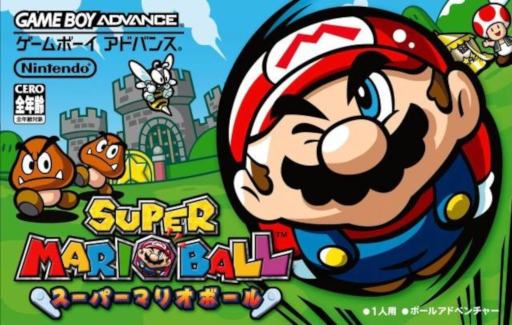
Super Mario Ball
Play online GBA pinball action where you turn Mario into a ball, aim at enemies and targets with the flipper, collect stars and items to open the star door.
Browser play
Game Boy Advance (GBA) — EmulatorJS controls
Default Player 1 keyboard mapping. Change keys in Controller Settings.
| Console button | Keyboard |
|---|---|
| ↑ / ↓ / ← / → | ↑ / ↓ / ← / → |
| A / B | Z / X |
| L / R | Q / E |
| START / SELECT | Enter / V |
Open Controller Settings to configure your keyboard or gamepad. Touch controls are available on mobile.
How to Play Mario Pinball Land
Quick start
Select "START GAME" and proceed to the first platform in the amusement park. Press A to launch Mario, use the left and right flippers to prevent him from falling, and hit enemies and targets to open the way. Collect stars to open star doors. In the early stages, it's a good idea to practice blocking the attack with one side, aim and return it, instead of hitting both at once, and leave items for difficult targets or for comebacks.
Controls
D-pad left or L: Left flipper. A or R: Right flipper. A is also used for decisions and firing from cannons/plungers. B: Use/cancel selected item. START: Pause. On the target screen and store, press left/right or L/R to select, press A to confirm, press B to exit the store. Mario moves using flippers rather than walking.
Mario Pinball Land Game manuals
Cheats
No cheats have been added for this edition.
Player verification and sources
Browser play was reviewed before this edition was published in the catalogue. The date below is the catalogue publication date, not the game’s original release date.
- Browser test and catalogue publication date
- Browsers and devices
- PC: Chrome, Edge and Firefox. Mobile: Chrome on Android and Safari on iPhone and iPad.
- Player engine and core
- EmulatorJS 4.3.0-pre · gba
- Tested by
- rwEmulator
Sources and editorial basis
rwEmulator reviews edition metadata, release information, game manuals and first-hand browser-play notes. Available manuals are linked below; the editorial policy explains how facts are checked and corrections are handled.